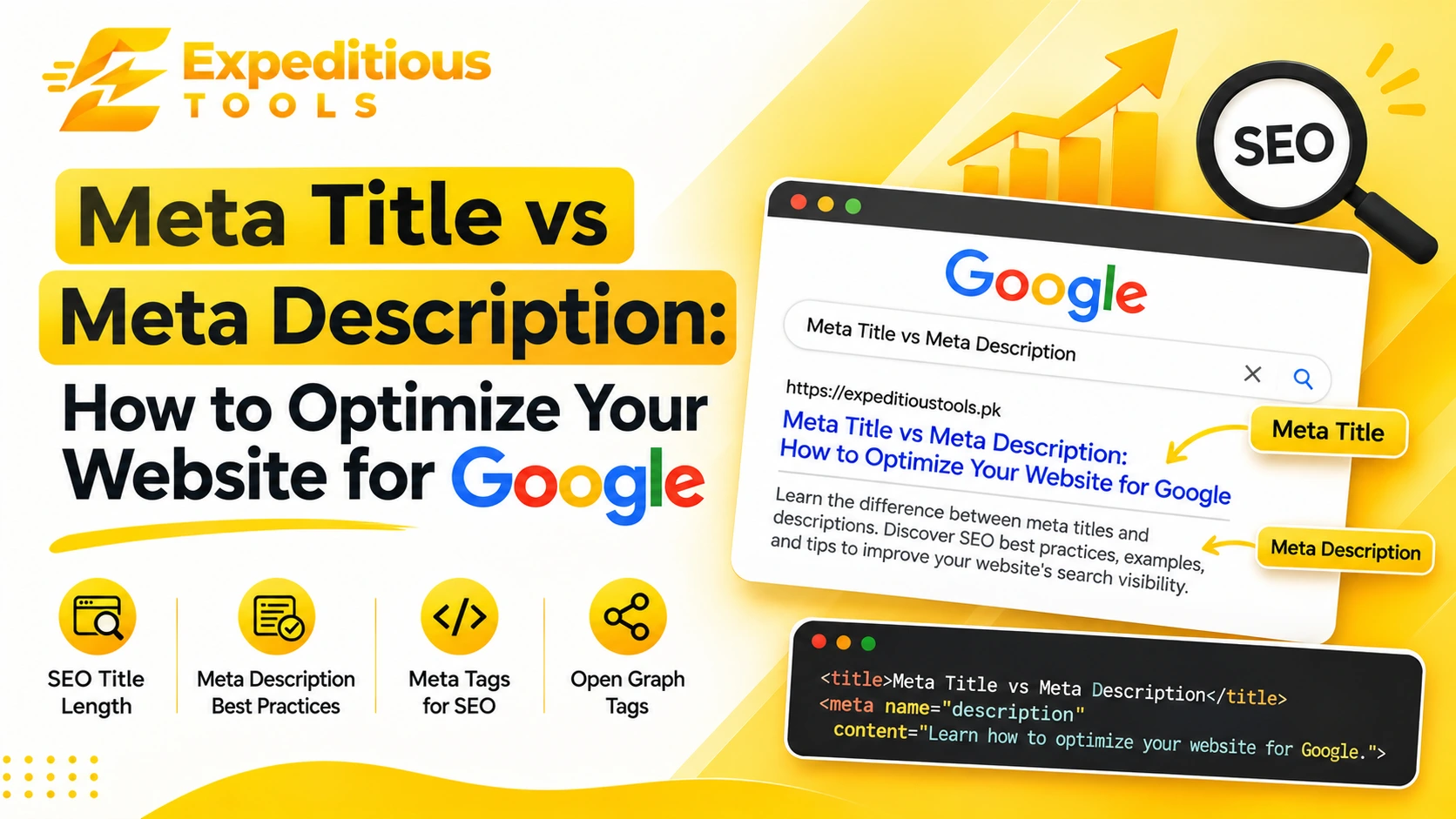
When someone searches for information on Google, they usually see several website results. Each result typically includes a clickable headline, a URL or breadcrumb, and a short description explaining what the page offers.
These elements help users decide which website to visit.
Two important HTML elements influence how this information is presented: the meta title and the meta description.
Although they are closely related, they serve different purposes. A meta title communicates the main topic of a webpage and provides an important relevance signal to search engines. A meta description summarizes the page and can encourage users to click through from search results.
Understanding the difference between a meta title and meta description is essential for anyone managing a website, publishing blog articles, building an online store, or working on search engine optimization.
However, writing these elements involves more than inserting keywords. They should accurately describe the page, match search intent, communicate value, and encourage meaningful clicks without misleading visitors.
In this complete guide, we will explain what meta titles and meta descriptions are, how they differ, recommended SEO title length, meta description best practices, how to write SEO titles, common mistakes, Open Graph tags, practical examples, and how to optimize your website's metadata for Google.
What Is a Meta Title?
A meta title, commonly called an SEO title or title tag, is an HTML element that specifies the title of a webpage.
It is placed inside the <head> section of an HTML document using the <title> tag.
For example:
<title>Best Free Online Tools for Developers | Expeditious Tools</title>
The title helps search engines understand the subject of a page. It is also commonly used as the clickable headline in search engine results pages (SERPs).
A well-written title should clearly communicate what visitors can expect after opening the webpage.
Why Is a Meta Title Important for SEO?
The title tag is an important on-page SEO element.
It helps search engines understand the page's topic and provides users with a quick indication of its relevance to their search.
A descriptive title can also help distinguish your page from competing results.
Here are some reasons why meta titles matter:
- Search relevance: A descriptive title helps communicate the main subject of a webpage.
- User experience: Visitors can understand what a page offers before clicking.
- Click-through rate: An appealing and relevant title may encourage more people to visit your website.
- Content identification: Titles help distinguish individual pages in search results, browser tabs, and bookmarks.
- Brand recognition: Including your brand name where appropriate can make your website more recognizable.
Google may use the title element when generating a search result's title link. However, it can also create a different title using other information on the page when it believes that alternative better represents the content.
Therefore, your title tag should accurately reflect the actual page rather than simply target a keyword.
What Is a Meta Description?
A meta description is an HTML element that provides a short summary of a webpage's content.
It is also placed inside the <head> section of an HTML document.
For example:
<meta name="description" content="Discover useful free online tools for developers. Format JSON, convert images, generate passwords, and simplify everyday technical tasks with Expeditious Tools.">
Search engines may use the meta description when displaying a webpage in search results.
It usually appears below the title and URL, giving users additional context about the page.
However, Google does not always display the exact description you provide. It may generate a different snippet based on the user's search query and the content available on the page.
Why Is a Meta Description Important?
A meta description helps communicate the value of a webpage before someone visits it.
Although it is not a direct Google ranking factor, a useful description can influence how users interact with your search result.
Its benefits include:
- Summarizing the page's main content.
- Communicating the value visitors can expect.
- Supporting the search intent of potential visitors.
- Encouraging relevant clicks.
- Helping distinguish your result from competing pages.
- Providing useful context for search listings.
A good meta description should be informative, natural, and relevant to the page.
Meta Title vs Meta Description: Key Differences
Both elements help describe a webpage, but their
responsibilities are different.
The meta title identifies the page, while the meta description summarizes it.
Here is a comparison:
| FeatureMeta TitleMeta Description | ||
| Main purpose | Defines the page title | Summarizes the page |
| HTML element | <title> | <meta name="description"> |
| Search result position | Usually the headline | Usually below the headline |
| Direct ranking role | Important relevance signal | Not a direct ranking factor |
| User benefit | Identifies the page topic | Explains what the page offers |
| Keyword usage | Use the main keyword naturally | Include relevant terms naturally |
| Recommended length | Often around 50–60 characters | Often around 150–160 characters |
| Google rewriting | Possible | Possible |
| Main objective | Clarity and relevance | Context and click appeal |
The recommended character ranges are practical writing guidelines, not strict Google limits.
Search results can display different lengths depending on device, query, and available space. Google may also rewrite either element.
Example: Meta Title and Meta Description Together
Imagine you publish an article about generating secure passwords.
Your meta title could be:
Password Generator: Create Strong Passwords Online
Your meta description could be:
Create strong, random passwords online with a secure password generator. Learn about password security and protect your accounts more effectively.
The title identifies the page's main topic.
The description explains what visitors will find and why the page may be useful.
Together, they create a clearer search result.
What Is the Ideal SEO Title Length?
One of the most common SEO questions is how long a meta title should be.
You may have heard that Google displays titles between 50 and 60 characters.
This is a useful guideline, but it is not a fixed Google requirement.
Google generally truncates title links based on available display width rather than enforcing a universal character limit.
This means a 55-character title might fit comfortably, while another title of the same length could be shortened because it contains wider characters.
Recommended SEO Title Length
For most webpages, aiming for approximately 50–60 characters is a practical starting point.
This range helps encourage concise titles that communicate the topic clearly.
However, you should prioritize meaning over an exact character count.
Why Should You Keep Titles Concise?
Long titles can create several problems:
- Important words may be truncated.
- The main topic may become less obvious.
- Repeated keywords can make titles look unnatural.
- Brand names may take up unnecessary space.
- Users may struggle to understand the page's purpose quickly.
Example of a Poor SEO Title
Best Free Online Password Generator Tool for Creating Strong and Secure Random Passwords
This title is unnecessarily long and repeats several related ideas.
Improved SEO Title
Free Password Generator: Create Strong Passwords
The improved version communicates the topic immediately and removes unnecessary wording.
Tips for Writing SEO Titles
Follow these guidelines:
- Place the primary keyword naturally near the beginning when appropriate.
- Clearly explain the page topic.
- Avoid unnecessary words.
- Make every page title unique.
- Include your brand name when it adds value.
- Avoid keyword stuffing.
- Match the actual content of the page.
- Write for people rather than search engines alone.
Remember that a useful title is more important than reaching an exact character count.
What Is the Ideal Meta Description Length?
A meta description should provide enough information to communicate the page's value without becoming unnecessarily long.
A practical target is approximately 150–160 characters for many pages.
However, Google does not guarantee that it will display the full description.
The visible snippet can vary depending on:
- Device screen size.
- Search query.
- Search result layout.
- The content Google selects.
- The relevance of your description to the search.
Example of a Short Meta Description
Learn about SEO titles and descriptions.
This description is technically understandable, but it does not communicate much value.
Improved Meta Description
Learn how to write SEO titles and meta descriptions. Explore best practices, examples, character length, and tips to improve your website's search appearance.
The improved description gives visitors a clearer idea of what the article covers.
Should You Always Use 160 Characters?
No.
A description should be complete and useful even if Google displays only part of it.
Do not add unnecessary words simply to reach a character target.
If a shorter description communicates the page's value effectively, it may be the better choice.
How to Write SEO Titles That Attract Clicks
Writing effective SEO titles requires balancing search relevance, clarity, and user interest.
A title should tell visitors what they can expect without making promises that the content cannot fulfill.
Here are practical methods for writing better titles.
1. Understand Search Intent
Search intent refers to the reason behind a user's search.
For example, someone searching for:
how to compress images
probably wants instructions or a tool that can reduce image file sizes.
A suitable title might be:
How to Compress Images Without Losing Quality
A title such as:
Complete History of Digital Image Compression
would not match the same intent as closely.
Before writing a title, identify whether the user wants information, a product, a comparison, or a specific action.
2. Use Your Primary Keyword Naturally
If your target keyword is meta title and meta description, use it where it fits naturally.
For example:
Meta Title and Meta Description: Complete SEO Guide
This clearly identifies the subject without forcing additional keywords into the title.
3. Communicate a Clear Benefit
Users are more likely to understand a title when it communicates what they will learn or accomplish.
Examples include:
- How to Optimize Your Website for Google
- Create Strong Passwords with an Online Generator
- WebP vs JPG vs PNG: Which Format Should You Use?
- How to Format JSON Online: A Complete Guide
4. Use Numbers When They Add Value
Numbers can make titles more specific.
For example:
10 Essential SEO Tips for Better Website Optimization
However, numbers should reflect the actual content.
Do not add a number simply to make a title appear more attractive.
5. Make Every Title Unique
Each important page on your website should have a distinctive title.
Avoid using the same title for multiple blog posts or tool pages.
Duplicate titles can make it harder for users and search engines to distinguish between different pages.
6. Avoid Keyword Stuffing
Incorrect:
SEO Title, SEO Titles, Best SEO Title, SEO Title Generator
Better:
How to Write SEO Titles That Improve Search Visibility
The improved title sounds natural and communicates a clear topic.
Meta Description Best Practices
A good meta description is more than a collection of keywords.
It should summarize the page, communicate value, and give visitors a reason to consider clicking.
Here are some important meta description best practices.
1. Write a Unique Description for Every Important Page
Every important webpage should have a description that reflects its individual content.
For example, a password generator page should not use the same description as a JSON formatter page.
Unique descriptions provide more relevant context for different search results.
2. Include Your Primary Keyword Naturally
If your page targets a particular keyword, include it naturally where appropriate.
For example:
Learn how to format JSON online with a simple JSON formatter. Improve readability, validate syntax, and inspect structured data in seconds.
The phrase format JSON online fits naturally into the description.
Avoid repeating the same keyword multiple times.
3. Explain the Page's Value
Tell visitors what they will gain by opening the page.
For an educational article, mention the topics covered.
For an online tool, explain what the tool helps users accomplish.
For a product page, describe the main product benefit.
4. Use an Appropriate Call to Action
A call to action can encourage visitors to explore the page.
Examples include:
- Learn how it works.
- Explore the complete guide.
- Compare your options.
- Discover useful tips.
- Try the online tool.
Use calls to action naturally rather than adding them to every description.
5. Match the Actual Page Content
Never promise information that does not exist on the page.
For example, if your article does not include a free downloadable template, do not advertise one in the description.
Misleading descriptions can create a poor visitor experience.
6. Avoid Duplicate Descriptions
Duplicate descriptions across multiple pages provide little additional value.
Create descriptions that reflect each page's actual subject.
7. Avoid Unnecessary Special Characters
Use punctuation naturally.
Excessive symbols, repeated exclamation marks, and unusual character combinations can make descriptions appear unprofessional.
8. Make Descriptions Easy to Read
Avoid complicated language.
Write naturally and explain the page's value in a sentence or two.
A good description should be understandable without requiring visitors to interpret a list of keywords.
Meta Description Examples for Different Websites
Understanding real-world examples makes it easier to create effective metadata.
Here are examples for different types of webpages.
1. Blog Article
Topic: How to Compress Images Without Losing Quality
Meta Title:
How to Compress Images Without Losing Quality
Meta Description:
Learn how to reduce image file sizes without sacrificing visual quality. Explore compression settings, WebP, JPG, PNG, and image optimization tips.
2. Online Tool Page
Topic: JSON Formatter
Meta Title:
JSON Formatter Online: Format and Validate JSON
Meta Description:
Format JSON online with an easy-to-use JSON formatter. Beautify compressed data, improve readability, and check JSON syntax in seconds.
3. E-Commerce Product Page
Topic: Wireless Headphones
Meta Title:
Wireless Headphones: Features, Price and Details
Meta Description:
Explore wireless headphones with detailed product information, key features, specifications, and pricing to find an option that suits your needs.
4. Homepage
Topic: Online Developer Tools
Meta Title:
Expeditious Tools: Free Online Tools for Developers
Meta Description:
Explore free online developer tools for image conversion, encoding, formatting, security, and everyday technical tasks with Expeditious Tools.
5. Service Page
Topic: Web Development Services
Meta Title:
Custom Web Development Services for Businesses
Meta Description:
Build modern, responsive websites with custom web development services. Explore solutions for business websites, web applications, and digital growth.
These examples demonstrate how metadata should change according to the page type and search intent.
What Are Meta Tags for SEO?
Meta titles and descriptions are part of a broader group of HTML elements commonly associated with website metadata.
Meta tags provide information about webpages to browsers, search engines, and other services.
They are generally placed inside the HTML <head> section.
Here are some common meta tags for SEO and website presentation.
1. Title Tag
<title>Meta Title and Meta Description: SEO Guide</title>
Defines the webpage's title.
2. Meta Description
<meta name="description" content="Learn how to write effective SEO titles and meta descriptions with practical examples and optimization tips.">
Provides a short summary of the webpage.
3. Meta Robots
<meta name="robots" content="index, follow">
Provides crawling and indexing instructions to compliant search engine crawlers.
The example indicates that the page may be indexed and its links may be followed.
However, search engines may also receive indexing instructions through HTTP headers or other methods.
4. Canonical Tag
<link rel="canonical" href="https://example.com/blog/seo-guide">
Identifies the preferred URL for a webpage when multiple URLs contain duplicate or substantially similar content.
Canonicalization helps search engines understand which URL should generally be treated as the primary version.
5. Viewport Meta Tag
<meta name="viewport" content="width=device-width, initial-scale=1.0">
Helps browsers display webpages appropriately on different screen sizes.
Although it is not a ranking shortcut, mobile-friendly presentation is important for user experience.
6. Meta Charset
<meta charset="UTF-8">
Specifies the character encoding used by the webpage.
These elements serve different purposes and should be implemented according to the requirements of each page.
What Are Open Graph Tags?
Open Graph tags are metadata elements used to control how a webpage is presented when shared on social platforms and messaging applications that support the Open Graph protocol.
They are particularly useful when sharing blog articles, product pages, and other website links.
For example, when someone shares an article on Facebook, the platform may use Open Graph metadata to display:
- A title.
- A description.
- A featured image.
- The webpage URL.
Common Open Graph Tags
Open Graph Title
<meta property="og:title" content="Meta Title vs Meta Description: Complete SEO Guide">
Defines the preferred title for social sharing.
Open Graph Description
<meta property="og:description" content="Learn the difference between meta titles and descriptions, explore SEO best practices, and discover practical examples for better website optimization.">
Provides a summary for social previews.
Open Graph Image
<meta property="og:image" content="https://example.com/images/seo-guide.jpg">
Specifies the image to use in the social preview.
Open Graph URL
<meta property="og:url" content="https://example.com/blog/meta-title-vs-meta-description">
Identifies the preferred webpage URL for the social object.
Open Graph Type
<meta property="og:type" content="article">
Identifies the type of content.
Open Graph Tags vs SEO Meta Tags
Open Graph tags and traditional SEO metadata are related but serve different purposes.
| FeatureSEO MetadataOpen Graph Metadata | ||
| Main purpose | Describe pages for search and browsers | Control social sharing previews |
| Title field | <title> | og:title |
| Description field | meta name="description" | og:description |
| Image field | Not provided by the title or description tags | og:image |
| Canonical URL | rel="canonical" | og:url |
| Primary use | Search presentation and page identification | Social link previews |
Open Graph tags do not replace your SEO title and description.
You should implement both when your website needs search optimization and consistent social sharing previews.
How to Add Meta Title and Meta Description in HTML
Adding metadata to a webpage is straightforward.
Place the appropriate elements inside the <head> section of your HTML document.
Here is a complete example:
<!DOCTYPE html>
<html lang="en">
<head>
    <meta charset="UTF-8">

    <meta name="viewport"
          content="width=device-width, initial-scale=1.0">

    <title>
        Meta Title and Meta Description: SEO Guide
    </title>

    <meta name="description"
          content="Learn how to optimize meta titles and descriptions with SEO best practices, practical examples, and tips for improving search appearance.">

    <meta name="robots" content="index, follow">

    <link rel="canonical"
          href="https://example.com/blog/meta-title-seo-guide">

    <meta property="og:title"
          content="Meta Title and Meta Description: SEO Guide">

    <meta property="og:description"
          content="Discover how to write better SEO titles and descriptions with practical examples and optimization techniques.">

    <meta property="og:type" content="article">

    <meta property="og:url"
          content="https://example.com/blog/meta-title-seo-guide">

    <meta property="og:image"
          content="https://example.com/images/meta-title-seo-guide.jpg">

</head>
<body>

    <h1>Meta Title vs Meta Description</h1>

</body>
</html>
This example includes the main metadata elements used for search presentation and social sharing.
Remember to replace the example URLs and content with information relevant to your actual webpage.
How to Add Meta Title and Meta Description in Laravel
If your website is built with Laravel and Blade templates, you can manage SEO metadata using Blade sections.
This approach is useful when different pages need different titles, descriptions, keywords, and canonical URLs.
Step 1: Define SEO Sections in Your Blade Layout
Inside your main layout file, such as layout.blade.php, add:
<head>
    <title>
        @yield('title', config('app.name'))
    </title>

    <meta name="description"
          content="@yield('meta_description', '')">

    <meta name="keywords"
          content="@yield('meta_keywords', '')">

    <link rel="canonical"
          href="@yield('canonical', url()->current())">

    <meta property="og:title"
          content="@yield('og_title', trim($__env->yieldContent('title')))">

    <meta property="og:description"
          content="@yield('og_description', trim($__env->yieldContent('meta_description')))">

    <meta property="og:image"
          content="@yield('og_image', asset('images/default-og-image.jpg'))">

    <meta property="og:url"
          content="@yield('canonical', url()->current())">

    <meta property="og:type"
          content="@yield('og_type', 'website')">
</head>
The default values provide a fallback when a page does not define its own metadata.
Note that the keywords meta tag is included only for legacy or application-specific purposes. Google does not use the meta keywords tag as a ranking signal.
Step 2: Define Metadata on Individual Pages
For example, a blog article can define its metadata like this:
@extends('layout')

@section('title')
    Meta Title vs Meta Description: SEO Guide
@endsection

@section('meta_description')
    Learn how to write effective SEO titles and meta descriptions with practical examples and optimization tips.
@endsection

@section('meta_keywords')
    meta title and meta description, SEO title length,
    meta description best practices
@endsection

@section('canonical')
    https://expeditioustools.pk/blog/meta-title-vs-meta-description
@endsection

@section('og_title')
    Meta Title vs Meta Description: Complete SEO Guide
@endsection

@section('og_description')
    Discover how meta titles and descriptions work,
    their differences, and practical SEO optimization tips.
@endsection

@section('og_image')
    https://expeditioustools.pk/images/blog/meta-title-vs-meta-description.jpg
@endsection
This allows you to maintain different metadata for every article.
Step 3: Check the Generated HTML
After publishing the page, open it in your browser.
Right-click and select View Page Source.
Check whether:
- The title is correct.
- The description is present.
- The canonical URL is accurate.
- Open Graph metadata is included.
- There are no duplicate title or description elements.
- Special characters are properly escaped.
You can also inspect the elements using your browser's developer tools.
Common Meta Title and Description Mistakes
Even websites with useful content can have poor metadata.
Here are some common mistakes to avoid.
1. Duplicate Meta Titles
Using the same title for multiple pages makes it difficult to distinguish their subjects.
Create a unique, descriptive title for each important page.
2. Duplicate Meta Descriptions
Avoid copying the same description across every article or tool page.
Write descriptions that explain the specific purpose of each URL.
3. Keyword Stuffing
Repeating keywords unnaturally can make metadata difficult to read.
Incorrect:
SEO Guide, Best SEO Guide, SEO Tips, SEO Optimization Guide
Better:
Complete SEO Guide: Practical Tips for Website Optimization
4. Writing Misleading Titles
Do not promise information, products, or features that the page does not contain.
A mismatch between the title and the content can disappoint visitors.
5. Ignoring Search Intent
A title may contain the right keyword but still fail to address what users want.
Understand the search query before writing the title.
6. Leaving Important Pages Without Descriptions
Missing meta descriptions do not automatically prevent a page from ranking.
However, writing useful descriptions for important pages gives you more control over the information you provide to search engines.
Google may still generate its own snippets.
7. Using the Same Title for SEO and Social Sharing Without Reviewing It
Your SEO title and Open Graph title can be identical, but they do not have to be.
You can create a slightly different social title if it better suits the sharing context, provided both accurately represent the page.
8. Forgetting to Update Metadata
If the subject of a webpage changes significantly, review its title and description.
Metadata should accurately represent the current content.
How to Check and Optimize Your Website Metadata
Writing metadata is only one part of the process.
You should regularly review how your pages appear in search results and identify opportunities for improvement.
Here are some useful methods.
1. Use Google Search Console
Google Search Console helps website owners monitor their website's presence in Google Search.
You can use it to:
- Review search queries.
- Analyze impressions.
- Monitor clicks.
- Compare click-through rates.
- Identify indexing issues.
- Inspect individual URLs.
- Monitor search performance over time.
If a page receives many impressions but relatively few clicks, review whether its title and description clearly communicate its relevance.
However, a low click-through rate does not automatically mean the metadata is the problem. Search intent, ranking position, competition, and SERP features also influence clicks.
2. Inspect Your HTML Source
Open the page source and search for:
<title>
and:
<meta name="description">
Confirm that the values are correct and appear only once where appropriate.
3. Use an SEO Audit Tool
SEO auditing tools can help identify:
- Missing titles.
- Duplicate titles.
- Missing descriptions.
- Duplicate descriptions.
- Long titles.
- Short titles.
- Broken canonical URLs.
- Incorrect indexing directives.
These checks are especially useful for large websites with hundreds or thousands of pages.
4. Review Search Performance Regularly
Do not optimize metadata once and forget about it.
Review important pages periodically.
If a title no longer reflects the content or search intent, update it and monitor the results.
Avoid changing multiple SEO elements simultaneously without a reason, because it becomes harder to understand which change influenced performance.
Using an Online Meta Tag Generator
Creating metadata manually is simple for a few pages, but managing many webpages can become repetitive.
An online meta tag generator can help simplify this process.
A typical meta tag generator allows users to enter:
- Website title.
- Meta description.
- Keywords, if needed for a specific workflow.
- Author information.
- Robots directives.
- Canonical URL.
- Open Graph title.
- Open Graph description.
- Open Graph image URL.
The tool can then generate the corresponding HTML markup.
For example, you can enter:
Page Title:
How to Format JSON Online
Meta Description:
Learn how to format JSON online with a free JSON formatter. Beautify compressed data, validate syntax, and improve readability.
The generated output might look like:
<title>How to Format JSON Online</title>

<meta name="description"
      content="Learn how to format JSON online with a free JSON formatter. Beautify compressed data, validate syntax, and improve readability.">
This can save time and reduce manual coding mistakes.
Expeditious Tools offers online utilities designed to simplify common technical and development tasks. A meta tag generator can be a useful addition to an SEO workflow when creating metadata for blogs, business websites, and landing pages.
Frequently Asked Questions (FAQs)
What is the difference between a meta title and a meta description?
A meta title defines the webpage's title and commonly appears as the clickable headline in Google search results. A meta description summarizes the page and may appear below the title to provide additional context.
What is the ideal SEO title length?
A practical guideline is approximately 50–60 characters. However, Google does not enforce a fixed character limit. Search result title links are generally adjusted according to available display width.
What is the ideal meta description length?
Around 150–160 characters is a common writing guideline. Google may display longer or shorter snippets depending on the search query, device, and available space.
Are meta descriptions a Google ranking factor?
No. Google does not use the meta description as a direct ranking factor. However, a relevant description may help users understand a search result and encourage clicks.
Do meta titles directly affect SEO?
Yes. Title tags are an important relevance signal and help search engines understand the subject of a webpage. They also help users identify relevant search results.
Can Google change my meta title?
Yes. Google may generate a different title link when it believes another source on the page better represents the content. Keeping titles accurate, descriptive, and consistent with visible headings can help.
Can Google rewrite my meta description?
Yes. Google may use the meta description you provide or generate a search snippet from the webpage's content. The displayed text can vary according to the search query.
Should every webpage have a unique meta title?
Yes. Important pages should have unique and descriptive titles that accurately explain their individual topics.
Should I include keywords in meta descriptions?
You can include relevant keywords naturally when they help describe the page. Avoid keyword stuffing or repeating phrases unnecessarily.
What are Open Graph tags?
Open Graph tags are metadata elements that help control how a webpage appears when shared on social platforms and messaging applications that support the protocol. They commonly define the social title, description, image, and URL.
Are Open Graph tags important for SEO?
Open Graph tags primarily support social sharing rather than directly influencing Google rankings. They can improve the appearance of shared links and help communicate the content's value on social platforms.
What is the difference between a title tag and an H1 heading?
A title tag is HTML metadata that defines the webpage title and may appear as the search result headline. An H1 is a visible heading within the webpage that identifies its main content topic.
They can use similar wording, but they serve different purposes.
Can I use the same meta title and Open Graph title?
Yes. Many websites use the same title for both. However, you can customize the Open Graph title when a different version is more suitable for social sharing.
Do meta keywords still matter for Google?
No. Google does not use the meta keywords tag as a ranking signal. Website owners should focus on useful content, relevant titles, descriptions, and other meaningful SEO practices.
How often should I update meta titles and descriptions?
Update them when page content, search intent, or business information changes significantly. You can also review important pages periodically using search performance data to identify improvement opportunities.
Conclusion
Understanding the difference between a meta title and meta description is an important part of building an SEO-friendly website.
Although both elements describe a webpage, they serve different purposes.
The meta title identifies the page and provides an important relevance signal to search engines. The meta description summarizes the content and helps potential visitors understand what they can expect.
Effective metadata should be unique, descriptive, relevant, and written for real people.
When optimizing your website for Google, remember these essential practices:
- Write a clear and descriptive title for every important page.
- Aim for approximately 50–60 characters when writing SEO titles, but prioritize clarity.
- Create useful meta descriptions that summarize the actual page content.
- Aim for approximately 150–160 characters as a practical starting point.
- Include relevant keywords naturally.
- Avoid keyword stuffing and duplicate metadata.
- Implement accurate canonical URLs.
- Use Open Graph tags for better social sharing previews.
- Monitor performance through Google Search Console.
- Review and update metadata when necessary.
Most importantly, remember that metadata is only one part of SEO. High-quality content, useful website functionality, technical performance, accessibility, and a good user experience all contribute to a successful website.
Whether you manage a personal blog, an e-commerce store, or a developer-focused platform, well-written metadata helps communicate the purpose of your pages.
Explore Expeditious Tools for convenient online utilities that simplify everyday development, technical, and SEO tasks.
Write better titles. Create useful descriptions. Give every webpage a clearer identity.