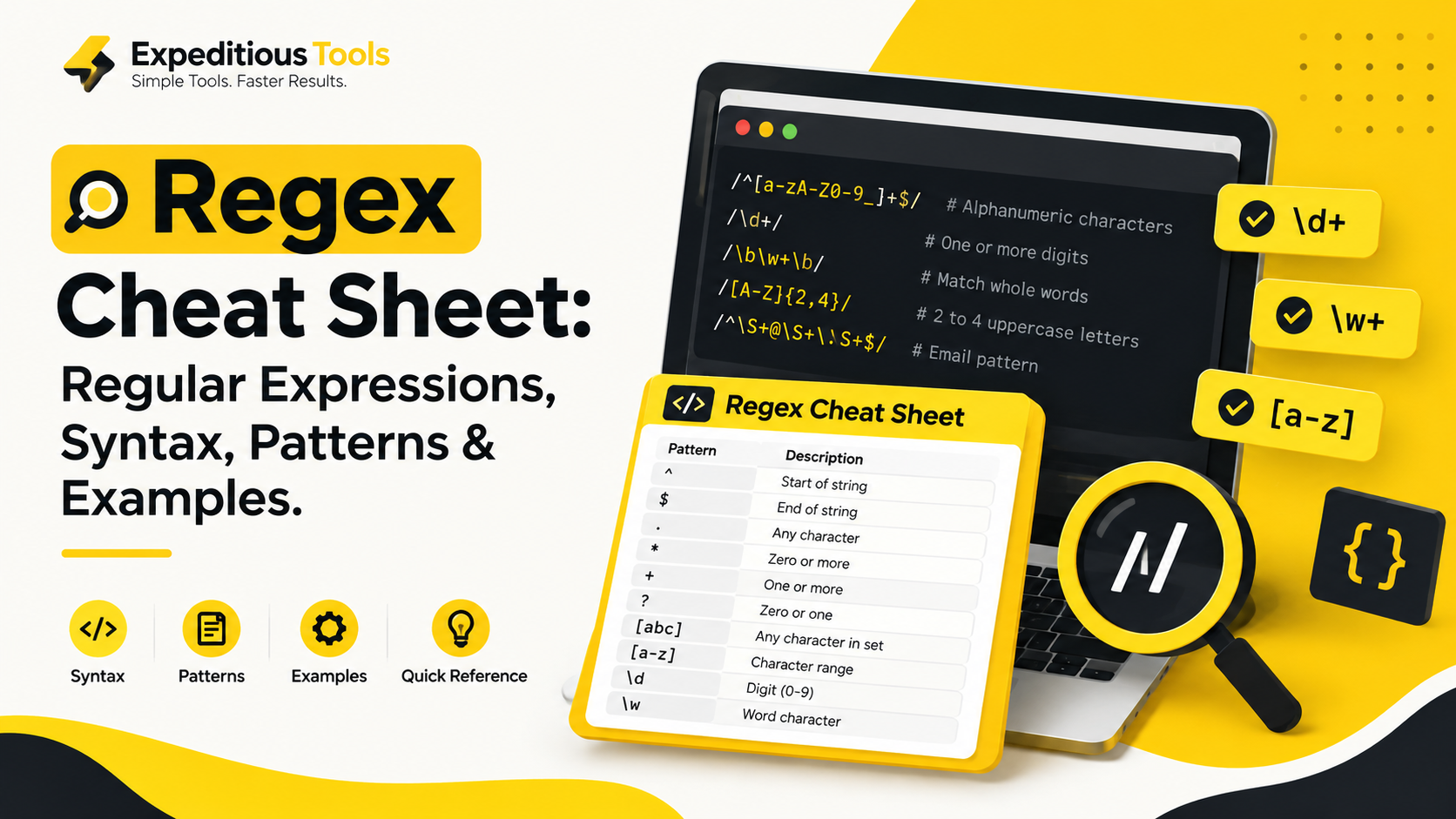
Regular expressions, commonly known as Regex, are powerful tools for searching, matching, validating, and replacing text.
Whether you are a beginner learning programming or an experienced developer working with APIs, databases, logs, or form validation, understanding regex can help you solve common text-processing problems more efficiently.
A regex pattern can identify an email-like string, extract numbers from a sentence, check a password format, find specific words in a document, or replace unwanted characters without manually examining every character.
In this guide, you will learn what regex is, how its syntax works, which patterns are most useful, and how to apply regular expressions to real-world development tasks. You will also find a practical regex cheat sheet that you can bookmark and revisit whenever you need a quick reference.
Table of Contents
- What is Regex?
- How Does Regex Work?
- Basic Regex Syntax
- Regex Cheat Sheet
- Character Classes and Character Sets
- Regex Quantifiers
- Anchors and Word Boundaries
- Groups, Alternation, and Backreferences
- Regex Flags
- Common Regex Patterns with Examples
- How to Test Regex Online
- Common Regex Mistakes
- Regex Performance and Security
- Regex in JavaScript, Python, PHP, and Java
- Frequently Asked Questions
1. What Is Regex?
Regex stands for regular expression. It is a sequence of characters that defines a search pattern. Programming languages and text-processing tools use these patterns to find or manipulate text that follows a particular structure.
For example, imagine you have the following sentence:
My order number is 458921 and the delivery code is 7392.
If you want to extract every number from this sentence, you could use this regular expression:
\d+
The pattern matches one or more consecutive digits. Applied to the sentence, it finds 458921 and 7392.
Regex is useful because it describes a rule rather than requiring you to search for every possible value separately.
What can you do with regex?
Regular expressions are commonly used for:
- Input validation: Check whether a string follows a required format.
- Text searching: Find words, numbers, identifiers, or specific character combinations.
- Data extraction: Extract phone numbers, dates, codes, and other structured text.
- Text replacement: Remove unwanted characters or standardize formatting.
- Log analysis: Identify error messages, request IDs, timestamps, and patterns in application logs.
- Developer workflows: Process CSV data, inspect source code, and work with API responses.
Regex is especially helpful when the exact text changes but its structure remains predictable.
2. How Does Regex Work?
A regex engine compares a pattern against an input string according to the syntax supported by that engine.
Consider this example:
^[A-Z][a-z]+$
This pattern is intended to match a single capitalized English word containing at least two letters, such as Noman or Pakistan.
Here is what each part means:
| PatternMeaning | |
^ | Start of the input |
[A-Z] | One uppercase English letter |
[a-z] | One lowercase English letter |
+ | One or more occurrences of the preceding character class |
$ | End of the input |
The pattern matches Pakistan because the string starts with an uppercase letter followed by one or more lowercase letters, with nothing extra before or after it.
It does not match pakistan, PAKISTAN, or Pakistan123.
This example also illustrates an important concept: a regex pattern describes what is allowed, not what a particular string must contain.
Regex behavior can differ between programming languages, so a pattern should always be tested in the engine in which it will run.
3. Basic Regex Syntax
Before working with complex patterns, learn the fundamental symbols.
Literal characters
Most ordinary characters match themselves.
cat
This pattern matches the sequence cat within text such as cat, category, or the cat is sleeping.
If you want to match the entire input exactly, use anchors:
^cat$
This matches cat as the entire input, but not category or the cat.
The dot character
The dot (.) usually matches any single character except line terminators, unless the relevant regex mode changes that behavior.
c.t
Possible matches include:
catcutcotc7t
Because the dot is a special character, escape it with a backslash when you need a literal period.
example\.com
This matches example.com, including the actual period between example and com.
Escaping special characters
Some characters have special meanings in regex. To match them literally, use a backslash.
| CharacterRegex form for a literal match | |
| Period | \. |
| Plus sign | \+ |
| Asterisk | \* |
| Question mark | \? |
| Opening parenthesis | \( |
| Closing parenthesis | \) |
| Opening square bracket | \[ |
| Backslash | \\ |
For example, to find the literal text price: $25.00, you could use:
price: \$25\.00
Escaping matters because an unescaped period matches a character rather than specifically matching a period.
4. Regex Cheat Sheet: Common Symbols
The following table provides a quick reference to frequently
used regex syntax.
| SymbolMeaningExample | ||
. | Any single character except line terminators by default | c.t |
\d | A digit, typically 0–9 in JavaScript | \d+ |
\D | A non-digit | \D+ |
\w | A word character; typically letters, digits, underscore in JavaScript | \w+ |
\W | A non-word character | \W+ |
\s | Whitespace | \s+ |
\S | Non-whitespace | \S+ |
^ | Start of input, or line start in multiline mode | ^Hello |
$ | End of input, or line end in multiline mode | world$ |
* | Zero or more repetitions | ab* |
+ | One or more repetitions | ab+ |
? | Zero or one occurrence; also used in other constructs | colou?r |
{n} | Exactly n repetitions | \d{4} |
{n,m} | Between n and m repetitions | \d{2,4} |
[abc] | Any one of the listed characters | [aeiou] |
[^abc] | Any character except those listed | [^0-9] |
(abc) | Capturing group | (ab)+ |
(?:abc) | Non-capturing group | (?:ab)+ |
a|b | Alternative: a or b | cat|dog |
\b | Word boundary | \bcat\b |
\B | Non-word boundary | \Bcat |
(?=...) | Positive lookahead | foo(?=bar) |
(?!...) | Negative lookahead | foo(?!bar) |
(?<=...) | Positive lookbehind | (?<=\$)\d+ |
(?<!...) | Negative lookbehind | (?<!-)\d+ |
Important: The table uses JavaScript-style regex conventions for its shorthand examples. Other engines may define character classes, boundaries, or supported syntax differently.
5. Character Classes and Character Sets
Character classes let you specify which characters a pattern can accept at a particular position.
Match one of several characters
[aeiou]
This matches any one of the five lowercase English vowels.
For example, in hello, it matches e and o when used in a global search.
Match a range of characters
[a-z]
Matches a lowercase English letter.
[A-Z]
Matches an uppercase English letter.
[0-9]
Matches a digit from zero to nine.
You can combine ranges:
[A-Za-z0-9]
This matches one English letter or digit.
To match a complete string containing only English letters and digits:
^[A-Za-z0-9]+$
This is useful for simple alphanumeric identifiers, although additional business rules may be necessary.
Negated character classes
A caret at the beginning of a character class means that the listed characters are excluded.
[^0-9]
Matches any single character that is not a digit.
For example, applying this pattern globally to AB12-CD34 finds the letters and punctuation, but not the digits.
Compare:
[0-9]: Match a digit.[^0-9]: Match a non-digit.
The position of the caret matters. Outside a character class, ^ usually indicates the beginning of the input or line.
Practical example: Remove non-digit characters
If you need to extract digits from a string in JavaScript:
const text = "Order #PK-12345";
const digits = text.replace(/\D/g, "");

console.log(digits); // "12345"
The \D pattern identifies non-digits, while the g flag tells replace() to replace all matches rather than only the first one.
6. Regex Quantifiers
Quantifiers determine how many times a character, character class, or group may occur.
Common quantifiers
| QuantifierMeaningExample | ||
* | Zero or more | ab* |
+ | One or more | ab+ |
? | Zero or one | ab? |
{3} | Exactly three | \d{3} |
{2,5} | Two to five | \d{2,5} |
{4,} | At least four | \d{4,} |
Consider the pattern:
^ab*$
It matches a, ab, abb, and abbb because the letter b can appear zero or more times.
By contrast:
^ab+$
Requires at least one b, so it matches ab, abb, and abbb, but not a.
Exact-length patterns
To match exactly six digits:
^\d{6}$
This is useful for a six-digit verification code, provided your application also handles expiry, attempt limits, and other security requirements.
To match a four-digit year-like string:
^\d{4}$
This checks the format, not whether the number represents a valid year.
Greedy and non-greedy quantifiers
Quantifiers are generally greedy: they try to match as much text as possible while allowing the overall expression to succeed.
For example:
<.*>
Given:
<name> and <city>
The pattern may match the entire string from the first < to the last >.
To prefer the shortest match, use a non-greedy quantifier:
<.*?>
This matches <name> and <city> separately when searching globally.
Non-greedy matching is useful when extracting text between delimiters. However, regex alone is not a reliable general-purpose HTML parser; use an HTML parser for complex markup.
7. Anchors and Word Boundaries
Anchors match positions rather than consuming ordinary characters.
Start and end anchors
^Hello
Matches Hello at the beginning of the input.
world$
Matches world at the end of the input, subject to the regex engine's line-handling rules.
For full-string validation, combine them:
^[A-Z]{3}\d{4}$
This requires three uppercase English letters followed by four digits.
Examples:
ABC1234: Matches.AB1234: Does not match.ABC12345: Does not match.
For strict validation, check your engine's exact end-anchor semantics, especially when trailing newline characters are possible.
Word boundaries
The \b token matches a boundary between a word character and a non-word character, or a word character and the beginning or end of the input.
\bcat\b
Matches cat as a separate word, but not as part of category or concatenate.
This makes word boundaries useful for searching text without accidentally matching longer words.
8. Groups, Alternation, and Backreferences
Groups help organize patterns and apply operators to entire sequences.
Capturing groups
(\d{4})-(\d{2})-(\d{2})
This can match a date-shaped string such as 2026-10-12.
The groups capture:
- Group 1:
2026 - Group 2:
10 - Group 3:
12
The pattern checks only the shape of the date. It does not ensure that the month or day is valid.
Non-capturing groups
Use (?:...) when you need grouping without capturing the matched text.
^(?:cat|dog)$
This matches either cat or dog as the complete input.
Alternation
The pipe (|) means “or.”
^(cat|dog|bird)$
This matches one of the three specified words.
For complex alternatives, use groups to make the intended precedence explicit.
Backreferences
A backreference allows a pattern to refer to text previously matched by a capturing group.
\b(\w+)\s+\1\b
This can identify repeated adjacent words such as hello hello.
Here:
(\w+)captures a word.\s+matches one or more whitespace characters.\1requires the same captured text again.
This is useful for detecting accidental repetition in simple text. More complex language processing may require additional logic.
9. Regex Flags
Flags modify how a regex behaves. In JavaScript, flags are commonly written after the closing slash of a regex literal.
| FlagNamePurpose | ||
g | Global | Find all matches in supported string operations |
i | Ignore case | Match letters regardless of case |
m | Multiline | Make ^ and $ work at line boundaries |
s | DotAll | Allow . to match line terminators |
u | Unicode | Enable Unicode-aware matching behavior |
y | Sticky | Match at the current lastIndex position |
d | Has indices | Include match index information in supported results |
v | Unicode sets | Enable enhanced Unicode character-set syntax |
Example:
const text = "Regex is useful. REGEX is powerful.";
const matches = text.match(/regex/gi);

console.log(matches);
// ["Regex", "REGEX"]
The g flag finds all matches, and i makes the search case-insensitive.
Flags and their behavior vary by language and runtime version. Always confirm support for the engine you use.
10. Common Regex Patterns with Examples
This section covers practical patterns for everyday development. These examples are starting points, not universal validation rules.
10.1 Email address format
A simple email-like pattern is:
^[A-Za-z0-9._%+-]+@[A-Za-z0-9.-]+\.[A-Za-z]{2,}$
It checks for a local part, an @ symbol, a domain-like section, and a suffix of at least two English letters.
Limitation: Email address syntax is more complex than this
pattern, and a regex match cannot confirm that an address exists or can receive mail. For production systems, combine reasonable format checks with the appropriate email verification process.
10.2 Phone number format
A generic example for an optional plus sign followed by 7–15 digits is:
^\+?[0-9]{7,15}$
This accepts strings such as 923001234567 and +923001234567.
It does not validate country-specific numbering rules, regional prefixes, or whether the number is active. For Pakistan-specific phone validation, define the allowed formats explicitly and consider a phone-number library.
10.3 Password format
Suppose a form requires at least eight characters, one uppercase English letter, one lowercase English letter, and one digit:
^(?=.*[A-Z])(?=.*[a-z])(?=.*\d).{8,}$
The lookaheads check for the required character categories.
The final expression requires at least eight characters.
This is only an example of a format rule. Password security should not depend on regex alone; consider length, breached-password checks, secure storage, rate limiting, and modern authentication practices.
10.4 Extract numbers from text
\d+
Input:
I bought 3 books for 2500 rupees.
Matches:
3
2500
If you need signed integers and decimal numbers, a possible starting pattern is:
-?\d+(?:\.\d+)?
This can match values such as -12, 3.14, and 2500. It does not define a complete numeric format for every locale or financial application.
10.5 Match a URL-like string
A simple HTTP or HTTPS URL prefix pattern is:
^https?:\/\/
It checks whether a string begins with http:// or https://.
Matching and validating complete URLs is more complicated. Use a URL parser when you need to inspect hosts, ports, paths, or query parameters reliably.
10.6 Validate an IPv4 address
A simple structural pattern for four groups of one to three digits is:
^(?:\d{1,3}\.){3}\d{1,3}$
This matches the shape 192.168.1.1, but it also accepts invalid octets such as 999.999.999.999.
For accurate validation, parse the four components and ensure each number is between 0 and 255.
10.7 Match a date-shaped string
^\d{4}-\d{2}-\d{2}$
This checks for the YYYY-MM-DD format.
It will also accept invalid calendar dates such as 2026-19-45. Use a date parser and calendar validation when correctness matters.
10.8 Remove extra whitespace
In JavaScript:
const text = "Hello     world";
const cleaned = text.replace(/\s+/g, " ").trim();

console.log(cleaned);
// "Hello world"
The regex replaces each consecutive whitespace sequence with a single ordinary space. The trim() call removes whitespace at the beginning and end.
10.9 Extract hashtags
#[A-Za-z0-9_]+
This finds simple hashtags such as #Regex and #WebDevelopment.
The pattern deliberately supports only basic English letters, digits, and underscores. Hashtag rules vary by platform and may include additional Unicode characters.
10.10 Match hexadecimal colors
^#(?:[0-9A-Fa-f]{3}|[0-9A-Fa-f]{6})$
This matches three-digit or six-digit hexadecimal color strings, such as #FFF and #FFC107.
It does not cover every valid CSS color representation. For broader CSS support, use a CSS-aware parser or color library.
11. How to Test Regex Online
Testing a regex before using it in an application helps you understand exactly what it matches and where it fails.
Follow these steps:
- Write the pattern. Start with a simple expression that describes your requirement.
- Enter sample text. Include valid examples, invalid examples, and edge cases.
- Choose the regex engine. Confirm that your tester uses the same syntax as your application.
- Enable the required flags. For example, use
gto find multiple matches orifor case-insensitive matching in JavaScript. - Review the matches. Check the highlighted text and captured groups.
- Test boundary cases. Try empty strings, extra spaces, punctuation, newlines, and unexpected characters.
- Use the pattern in your application. Repeat the tests in the actual runtime before deploying it.
You can also create a useful regex testing workflow with an online tester that supports live matching, syntax highlighting, capture groups, and error reporting.
For ExpeditiousTools.pk, consider linking this guide to a dedicated Regex Tester if you offer one, or developing one as a companion tool. This would give readers a way to apply the examples immediately instead of copying patterns into a separate website.
12. Common Regex Mistakes
Even experienced developers can make mistakes when writing or maintaining regular expressions.
Mistake 1: Forgetting to escape a period
Incorrect:
example.com
The dot can match any single character.
For a literal period:
example\.com
Mistake 2: Using * when at least one character is required
The expression \d* allows zero digits, while \d+ requires at least one digit.
Choose the quantifier according to the actual requirement.
Mistake 3: Forgetting to anchor a validation pattern
This pattern:
\d{4}
can find four consecutive digits inside a longer string.
For a complete four-digit input, use:
^\d{4}$
Remember to account for the chosen engine's anchor behavior when validating untrusted input.
Mistake 4: Assuming a format match proves validity
A date-shaped string may not represent a real date. An email-like string may not correspond to a real mailbox. An IP-shaped string may contain invalid octets.
Use parsing and domain-specific validation when the underlying value must be valid.
Mistake 5: Ignoring engine differences
JavaScript, Python, Java, PHP, and other environments do not support precisely the same regex syntax or semantics.
For example, shorthand character classes and Unicode behavior can vary. Test the expression in the target environment rather than assuming every online tester behaves identically.
Mistake 6: Making patterns unnecessarily complicated
A very long regex can be difficult to understand, test, and maintain. For complex validation, consider breaking the task into multiple steps, using named groups where supported, or using a dedicated parser.
Readable code is usually easier to maintain than a single expression that attempts to handle every possible case.
13. Regex Performance and Security
Regex is useful, but poorly designed patterns can cause performance problems.
What is catastrophic backtracking?
Some regex engines use backtracking to explore different ways of matching a pattern. Certain nested or overlapping quantifiers can cause the engine to try an enormous number of possibilities on specially crafted input.
For example, a pattern such as:
^(a+)+$
can be problematic for some backtracking engines when given a long sequence of a characters followed by a character that prevents a complete match.
In vulnerable implementations, this behavior can contribute to a denial-of-service issue known as regular expression denial of service (ReDoS).
How to reduce regex risks
- Avoid unnecessary nested quantifiers.
- Be cautious with overlapping alternatives and ambiguous repetitions.
- Set reasonable limits on input length.
- Test difficult non-matching inputs, not just successful examples.
- Prefer simpler patterns where possible.
- Use a regex engine with suitable complexity guarantees when processing untrusted input at scale.
- Consider a parser instead of regex for complex structured formats.
A regex that works quickly on a short test string may behave very differently on a very long input. Performance testing is an important part of production validation.
14. Regex in Different Programming Languages
The core concepts are similar across languages, but the way patterns are written and used can differ.
JavaScript
const pattern = /^\d+$/;
console.log(pattern.test("12345")); // true
console.log(pattern.test("12A45")); // false
JavaScript uses regex literals enclosed in slashes or the RegExp constructor.
Python
import re

pattern = r"^\d+$"

print(bool(re.fullmatch(pattern, "12345")))  # True
print(bool(re.fullmatch(pattern, "12A45")))  # False
Python raw strings, written with the r prefix, make regex patterns easier to read because backslashes are not processed as ordinary string escapes. re.fullmatch() explicitly checks the entire string.
PHP
$pattern = '/^\d+$/';

var_dump(preg_match($pattern, '12345')); // int(1)
var_dump(preg_match($pattern, '12A45')); // int(0)
PHP commonly uses delimiter-based patterns with functions such as preg_match().
Java
import java.util.regex.Pattern;

Pattern pattern = Pattern.compile("^\\d+$");

System.out.println(pattern.matcher("12345").matches()); // true
System.out.println(pattern.matcher("12A45").matches()); // false
Java string literals require doubled backslashes for regex escapes such as \d.
These examples all check whether the input contains only digits, but they use language-specific APIs and string-literal conventions.
15. Frequently Asked Questions About Regex
What does regex stand for?
Regex stands for regular expression. It is a pattern used to search, match, validate, extract, or replace text.
Is regex difficult to learn?
Regex can seem confusing initially because many operations are represented by symbols. Start with literal text, character classes, quantifiers, and anchors. Then learn groups, alternation, and lookarounds as you need them.
What is the difference between * and + in regex?
The asterisk (*) matches zero or more occurrences of the preceding item. The plus sign (+) matches one or more occurrences.
For example, ab* matches a, ab, and abb, while ab+ requires at least one b.
What is the difference between \d and [0-9]?
In common JavaScript regex usage, both match an ASCII digit from zero through nine. In other engines, shorthand character classes and Unicode modes can have different behavior. Use the expression that clearly matches your intended character set.
Can regex validate an email address?
Regex can check whether an email address follows a chosen format, but a pattern alone cannot establish that the address exists or belongs to the intended person. Use appropriate verification for production applications.
Can regex extract multiple matches?
Yes. The method depends on the programming language and regex flags. In JavaScript, for example, match() with the global (g) flag can return multiple matches.
What is a regex cheat sheet?
A regex cheat sheet is a quick reference listing common regex symbols, character classes, quantifiers, anchors, groups, flags, and example patterns.
Where can I test regex online?
Use an online regex tester that supports the syntax of your target programming language. Enter the pattern, add sample input, select the appropriate flags, and verify both successful and unsuccessful cases.
Is regex the same in every programming language?
No. Many basic concepts are shared, but syntax, flags, Unicode behavior, lookaround support, and API usage can differ. Always test the expression in your intended environment.
Should I use regex for every validation task?
No. Regex is excellent for pattern-based checks, but date validation, URL processing, IP address validation, and complex structured data often benefit from dedicated parsers or libraries. Use regex where it is appropriate and supplement it with semantic validation when necessary.
Conclusion
Regex is one of the most useful techniques for working with structured and unstructured text. Once you understand character classes, quantifiers, anchors, groups, and flags, you can create patterns for everyday tasks such as extracting numbers, matching identifiers, cleaning text, and checking input formats.
Keep this regex cheat sheet available as a quick reference, but remember that a successful match does not always mean that a value is valid. Test patterns with realistic examples, account for differences between regex engines, and consider performance and security before deploying complex expressions.
For the best results, combine this guide with an online regex testing workflow so you can experiment with patterns, inspect matches, and refine your expressions before using them in production code.