Passwords remain one of the most common ways to protect online accounts, applications, and sensitive information.
From e-commerce websites to banking platforms, users rely on passwords to access their personal data. However, storing passwords securely is a major responsibility for developers and website owners.
Simply saving passwords in a database as readable text can expose every user's account if the database is compromised. Even basic encryption is not always the right solution because passwords generally need to be verified, not recovered.
This is where Bcrypt becomes important.
Bcrypt is a password-hashing algorithm designed to protect passwords by transforming them into hashes that are computationally expensive to calculate. It includes a salt to help defend against precomputed attacks and supports a configurable work factor that allows password verification to become more expensive as computing power increases.
In this complete guide, we will explain what Bcrypt is, how it works, why it is useful, how it compares with other password-hashing algorithms, and how developers can implement it securely in modern applications.
What Is Bcrypt?
Bcrypt is a password-hashing algorithm introduced in 1999. It was designed by Niels Provos and David Mazières and is based on the Blowfish cipher.
Unlike ordinary hashing algorithms designed for speed, Bcrypt is intentionally computationally expensive. This makes large-scale password guessing more difficult when an attacker obtains a database of password hashes.
Bcrypt transforms a password into a hash using a process that incorporates a random salt and a configurable computational cost.
For example, a user might create the password:
MySecurePassword123!
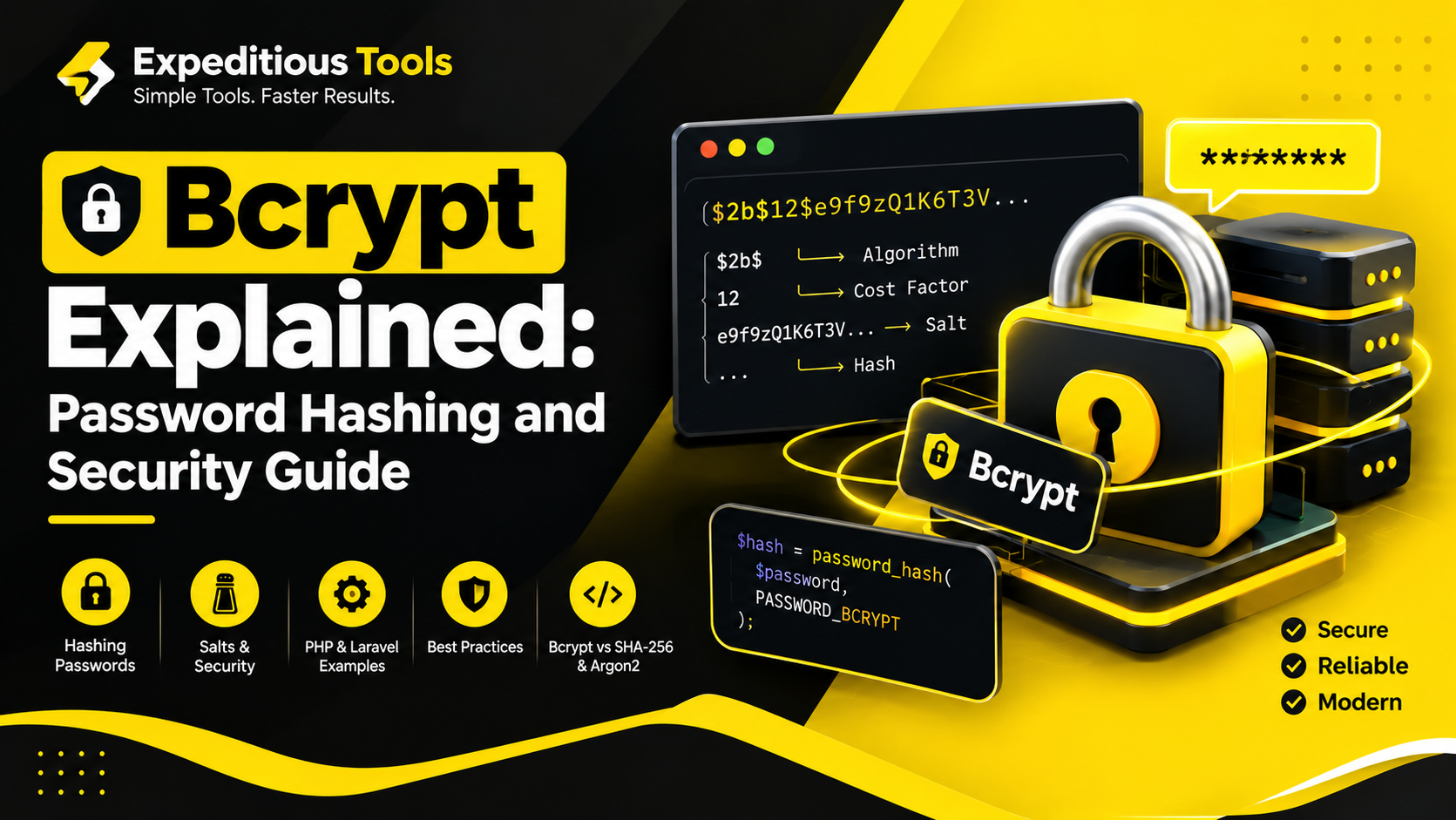
Instead of storing that password directly, an application stores a Bcrypt hash resembling this format:
$2b$12$...
The example is abbreviated. A complete Bcrypt hash normally contains the algorithm version, cost factor, salt, and resulting hash data.
When the user signs in, the application uses the submitted password and the stored hash to verify whether they match.
The original password does not need to be stored or recovered.
This makes Bcrypt particularly useful for authentication systems.
Why Is Bcrypt Important for Password Security?
Passwords are valuable targets for cybercriminals. If attackers gain access to a database containing readable passwords, they may immediately obtain credentials that users also reuse on other websites.
Password hashing reduces this risk.
Bcrypt provides several important security benefits.
1. Passwords Are Not Stored as Plain Text
Plain-text password storage is a serious security mistake.
Consider a database record containing:
| UserInsecure Password Storage | |
| user1@example.com | mypassword123 |
| user2@example.com | admin2026 |
Anyone who gains access to this data can read the passwords directly.
With Bcrypt, the database stores password hashes instead. An attacker who obtains the hashes must attempt to guess the original passwords rather than simply reading them.
2. Every Password Can Have a Unique Salt
A salt is a random value incorporated into the password-hashing process.
Without proper salting, identical passwords may produce identical hashes under the same hashing configuration. This can reveal which accounts share passwords and make precomputed hash attacks more useful.
Bcrypt generates and incorporates a salt into the hash.
As a result, two users who choose the same password can have different Bcrypt hashes.
3. Adjustable Computational Cost
Bcrypt includes a configurable work factor, also called the cost factor.
Increasing the cost makes the hashing operation more computationally expensive.
This helps applications adapt their password protection as hardware becomes faster.
4. Built for Password Hashing
General-purpose algorithms such as SHA-256 are designed to calculate hashes efficiently. That efficiency is useful for many tasks, but it can be a disadvantage when an attacker needs to test billions of password guesses.
Bcrypt is deliberately slower, making password guessing more expensive.
How Does Bcrypt Work?
Bcrypt follows a process that combines the password, salt, cost factor, and hashing algorithm.
A simplified workflow looks like this:
- The user creates an account and submits a password.
- The application generates a random salt.
- Bcrypt processes the password using the salt and configured cost factor.
- The application stores the resulting hash.
- During login, the application retrieves the stored hash.
- Bcrypt verifies the submitted password against that hash.
- The application allows or rejects the login based on the verification result.
The process can be represented as:
Password + Salt + Cost Factor → Bcrypt Hash
During authentication, the stored hash contains the information required by a compatible Bcrypt implementation to perform verification.
The application does not decrypt the hash because password hashes are not designed to be reversible.
Understanding the Bcrypt Hash Format
A standard Bcrypt hash commonly looks like this:
$2b$12$abcdefghijklmnopqrstuu...
The format contains several components.
Algorithm Identifier
The prefix identifies the Bcrypt variant.
For example, $2b$ is a commonly used modern identifier.
Cost Factor
The two digits following the algorithm identifier specify the work factor.
For example:
$2b$12$
Here, 12 is the cost factor.
Salt
The hash includes a salt encoded in Bcrypt's representation.
The salt helps ensure that identical passwords do not automatically produce identical hashes.
Hash Output
The remaining portion contains the encoded salt and derived password-hash data in the format defined by Bcrypt.
A complete Bcrypt hash is typically 60 characters long.
Developers should store the complete hash exactly as generated by their chosen implementation.
What Is the Bcrypt Cost Factor?
The cost factor determines how much computational work Bcrypt performs.
Bcrypt's work factor is exponential. Increasing the cost by one approximately doubles the amount of work required, subject to implementation and hardware differences.
For example:
| Cost FactorRelative Work | |
| 10 | 1× baseline |
| 11 | 2× baseline |
| 12 | 4× baseline |
| 13 | 8× baseline |
| 14 | 16× baseline |
These values illustrate relative work, not actual execution times.
A higher cost factor makes password guessing more expensive, but it also increases the time required for legitimate logins.
There is no single cost factor that is ideal for every application. Developers should benchmark their actual environment and select a setting that provides strong protection without creating unacceptable authentication delays.
For many applications, a cost of 10 to 14 has historically been used, but this should not be treated as a universal recommendation for 2026. Choose a current, appropriately strong setting based on platform guidance, hardware performance, and authentication traffic.
What Is a Salt in Bcrypt?
A salt is a random value used during password hashing.
Its primary purpose is to make each password hash unique, even when multiple users select the same password.
Imagine two users create accounts with the password:
ExamplePassword123!
A properly implemented Bcrypt system generates a separate random salt for each password.
The resulting hashes will therefore differ.
Salts also make precomputed rainbow-table attacks less effective because an attacker cannot simply use one precomputed hash for every account sharing a password.
A salt does not need to be secret. It is included in the stored hash representation.
Important: A salt does not make a weak password strong. If a user chooses a common password, an attacker may still guess it. Strong password policies, rate limiting, multi-factor authentication, and appropriate hashing costs remain important.
Bcrypt vs. SHA-256
SHA-256 is a cryptographic hash function that produces a 256-bit digest.
It is widely used for integrity verification, digital signatures, and other cryptographic applications.
However, SHA-256 is designed to be fast. That makes it unsuitable as a direct replacement for a dedicated password-hashing algorithm.
| FeatureBcryptSHA-256 | ||
| Primary use | Password hashing | General-purpose hashing |
| Designed to slow guessing | Yes | No |
| Built-in password salt handling | Yes, in standard implementations | No |
| Adjustable work factor | Yes | No |
| Typical password-storage choice | Suitable | Not recommended alone |
A developer should not simply calculate SHA-256 of a password and store the result.
For password storage, use a dedicated password-hashing function such as Bcrypt, Argon2id, or an appropriately configured PBKDF2 implementation.
SHA-256 remains useful for other tasks, including file integrity checks and verifying data consistency.
Bcrypt vs. Argon2
Argon2 is a modern password-hashing family. Argon2id is commonly recommended for new password-storage systems because it combines resistance to several attack strategies with configurable memory and computational costs.
Bcrypt remains widely supported and is a reasonable option for many existing systems.
The key difference is that Bcrypt primarily increases computational work, while Argon2id also allows the application to configure memory usage.
| FeatureBcryptArgon2id | ||
| Password hashing | Yes | Yes |
| Configurable computational cost | Yes | Yes |
| Configurable memory cost | No | Yes |
| Broad legacy compatibility | Strong | Depends on platform |
| Suitable for password storage | Yes | Yes |
For a new application, evaluate Argon2id and your platform's current security guidance before choosing Bcrypt. For an existing application, there may be no need to replace a correctly configured Bcrypt implementation immediately.
How to Generate a Bcrypt Hash in PHP
PHP provides password-hashing functions that support Bcrypt.
You can generate a hash with password_hash().
<?php

$password = 'MySecurePassword123!';

$hash = password_hash(
    $password,
    PASSWORD_BCRYPT
);

echo $hash;
PHP generates a random salt automatically and includes the relevant information in the resulting hash.
In normal application development, you should not manually create the salt.
Store the complete result in your database, using a column large enough to accommodate the hash and future changes. A VARCHAR(255) column is commonly used for this purpose.
Verify a Bcrypt Password in PHP
When a user signs in, use password_verify().
<?php

$password = 'MySecurePassword123!';
$storedHash = '$2y$...'; // Replace with the complete stored hash.

if (password_verify($password, $storedHash)) {
    echo 'Password is correct.';
} else {
    echo 'Invalid password.';
}
The abbreviated hash is illustrative only. Real code must retrieve the complete hash from the database.
Never compare a submitted password directly with the stored hash using a plain string comparison. Use the password-verification function provided by the language or framework.
Check Whether a Hash Needs Updating
PHP also provides password_needs_rehash().
<?php

if (password_needs_rehash(
    $storedHash,
    PASSWORD_BCRYPT,
    ['cost' => 12]
)) {
    $newHash = password_hash(
        $password,
        PASSWORD_BCRYPT,
        ['cost' => 12]
    );

    // Save $newHash to the user's database record.
}
This example demonstrates the rehashing concept. In production, use a cost factor selected through current security guidance and performance testing.
Rehashing should occur after successful password verification, when the original password is available.
How to Use Bcrypt in Laravel
Laravel provides built-in support for password hashing through its hashing services.
This means Laravel developers generally do not need to install a separate Bcrypt library for standard password storage.
Generate a Password Hash
use Illuminate\Support\Facades\Hash;

$password = 'MySecurePassword123!';

$hashedPassword = Hash::make($password);
Laravel uses the configured hashing driver.
If your application is configured to use Bcrypt, Hash::make() generates a Bcrypt hash.
Verify a Password
use Illuminate\Support\Facades\Hash;

if (Hash::check($plainPassword, $user->password)) {
    // Password is valid.
} else {
    // Password is invalid.
}
Here, $plainPassword is the password submitted by the user, and $user->password is the stored hash.
Do not store or log the plain-text password.
Configure Bcrypt
Laravel's hashing configuration is generally located in:
config/hashing.php
Depending on your Laravel version and application configuration, the default driver may be Bcrypt or another supported algorithm.
Check your application's configuration rather than assuming the driver.
If you change the hashing driver, ensure your existing password-verification and migration strategy remain compatible with the hashes already stored in your database.
Common Bcrypt Security Mistakes
Even a strong algorithm can be undermined by poor implementation.
1. Storing Plain-Text Passwords
Never save user passwords in readable form.
Use a dedicated password-hashing function.
2. Using Fast Hashes for Password Storage
Do not use a single SHA-256 or MD5 hash as a substitute for Bcrypt.
These algorithms are designed for speed and make large-scale guessing more efficient.
3. Setting the Cost Too Low
A low cost factor can make password guessing less expensive.
Benchmark your application and select a suitable cost based on current security requirements.
4. Setting the Cost Too High
An excessively high cost can overload servers or cause login requests to time out.
Security settings must account for legitimate authentication traffic as well as attack resistance.
5. Generating Salts Manually
Standard Bcrypt implementations generate salts automatically.
Manual salt management introduces unnecessary complexity and can lead to implementation mistakes.
6. Logging Passwords
Application logs, debugging output, and error reports should never contain users' plain-text passwords.
Treat passwords as highly sensitive authentication data.
7. Ignoring Rate Limiting
Bcrypt protects stored password hashes, but it does not automatically stop attackers from repeatedly submitting login attempts to a live application.
Use login rate limiting, abuse detection, and appropriate multi-factor authentication.
8. Assuming Hashing Prevents Every Attack
Password hashing does not prevent phishing, credential stuffing with reused passwords, session theft, or account takeover through compromised recovery channels.
It is one layer of a larger security strategy.
Does Bcrypt Have Limitations?
Yes. Understanding these limitations helps developers make informed decisions.
Bcrypt Is Not Encryption
Encryption is designed to be reversible with the appropriate key.
Bcrypt is a one-way password-hashing algorithm. You verify a candidate password rather than decrypting the stored hash.
Bcrypt Has a Password-Length Limitation
Traditional Bcrypt implementations process at most 72 bytes of password input. Behavior for longer inputs can vary by implementation.
This limit is measured in bytes, not characters. Some Unicode characters require multiple bytes.
Applications should understand their library's behavior and avoid inconsistent preprocessing of passwords. Do not silently truncate passwords, because that can create unexpected authentication behavior.
For new systems that need to support longer passwords robustly, consider a modern password-hashing implementation such as Argon2id.
Bcrypt Can Be Resource-Intensive
The deliberate computational cost improves resistance to offline guessing but consumes server resources during legitimate authentication.
Applications should benchmark their chosen configuration and protect login endpoints against excessive requests.
Bcrypt Does Not Replace Multi-Factor Authentication
Even a well-hashed password can be compromised if a user is tricked into revealing it.
Multi-factor authentication adds another layer of protection.
Best Practices for Using Bcrypt in 2026
Developers should follow these practical recommendations when implementing password hashing.
- Use a trusted implementation. Prefer maintained framework or language libraries over custom cryptographic code.
- Choose a suitable cost factor. Benchmark on production-like hardware and review current security guidance.
- Store complete hashes. Ensure database fields can accommodate the full hash.
- Use unique salts. Allow the standard implementation to generate salts automatically.
- Verify passwords securely. Use the framework's password-verification function.
- Support rehashing. Upgrade stored hashes after successful login when your policy changes.
- Apply rate limiting. Reduce online password-guessing attempts.
- Enable multi-factor authentication. Add protection beyond the password itself.
- Protect password reset workflows. Use secure, time-limited reset tokens and avoid exposing account information.
- Keep dependencies updated. Monitor security advisories for your framework and password-hashing library.
What Is a Bcrypt Generator?
A Bcrypt generator is a tool that accepts a password and produces a Bcrypt hash using a selected configuration.
It can be useful for developers who need to understand Bcrypt's output format, test compatible implementations, or learn how password hashing works.
However, there is an important security consideration.
Do not enter real passwords into an online hashing tool unless you fully understand and trust how the tool handles the input.
For production accounts, generate password hashes inside your own application using a trusted, maintained library.
A browser-based Bcrypt tool is best used with test passwords and non-sensitive sample data.
Frequently Asked Questions About Bcrypt
What is Bcrypt used for?
Bcrypt is primarily used to hash passwords before they are stored in a database. It makes offline password guessing more expensive through its computational cost and built-in salt handling.
Is Bcrypt secure in 2026?
Bcrypt remains a recognized password-hashing option when implemented correctly and configured appropriately.
Developers should also evaluate Argon2id for new systems and follow current security guidance.
Can Bcrypt be decrypted?
No. Bcrypt is a one-way password-hashing algorithm, not encryption. Applications verify a submitted password against the stored hash rather than decrypting the hash.
Why does Bcrypt generate different hashes for the same password?
Bcrypt uses a random salt. When the same password is hashed multiple times with different salts, the resulting hashes differ.
What is the recommended Bcrypt cost factor?
There is no universally correct value for every system. Select a cost factor using current security recommendations and performance benchmarks on your target infrastructure.
Is Bcrypt better than SHA-256 for passwords?
Bcrypt is designed for password hashing and includes salt handling and a configurable work factor. SHA-256 is a fast general-purpose hash and should not be used alone for password storage.
Is Bcrypt better than Argon2?
Both can be used for password hashing. Argon2id offers configurable memory costs and is often preferred for new password-storage systems. Bcrypt remains useful where compatibility and existing infrastructure matter.
Does Laravel support Bcrypt?
Yes. Laravel supports password hashing through its hashing service. The active driver depends on the application's configuration.
Can two users have the same Bcrypt hash?
It is possible in principle, but standard Bcrypt implementations use random salts, so the same password normally produces different hashes for different hashing operations.
Can Bcrypt protect against brute-force attacks?
Bcrypt makes offline guessing more computationally expensive, but it cannot guarantee that a password will never be guessed. Strong passwords, rate limiting, and multi-factor authentication remain important.
Conclusion
Bcrypt remains an important technology for secure password storage. Its built-in salt handling, configurable computational cost, and broad support across programming languages and frameworks make it useful for authentication systems.
By storing password hashes rather than plain-text passwords, developers can reduce the damage that a database exposure might cause. However, the algorithm is only one part of a complete security strategy.
Applications must also use appropriate cost settings, secure password verification, login rate limiting, multi-factor authentication, protected password-reset workflows, and regularly maintained dependencies.
For developers building websites and applications, understanding Bcrypt is a valuable step toward stronger authentication and safer data handling.
Expeditious Tools helps developers explore practical online utilities and technical concepts that support everyday development workflows. Whether you are learning about Bcrypt, working with hashing algorithms, or building a secure authentication system, understanding how these technologies work can help you make better engineering decisions.
Remember: secure password storage starts with the right hashing algorithm, but strong authentication depends on the entire system.