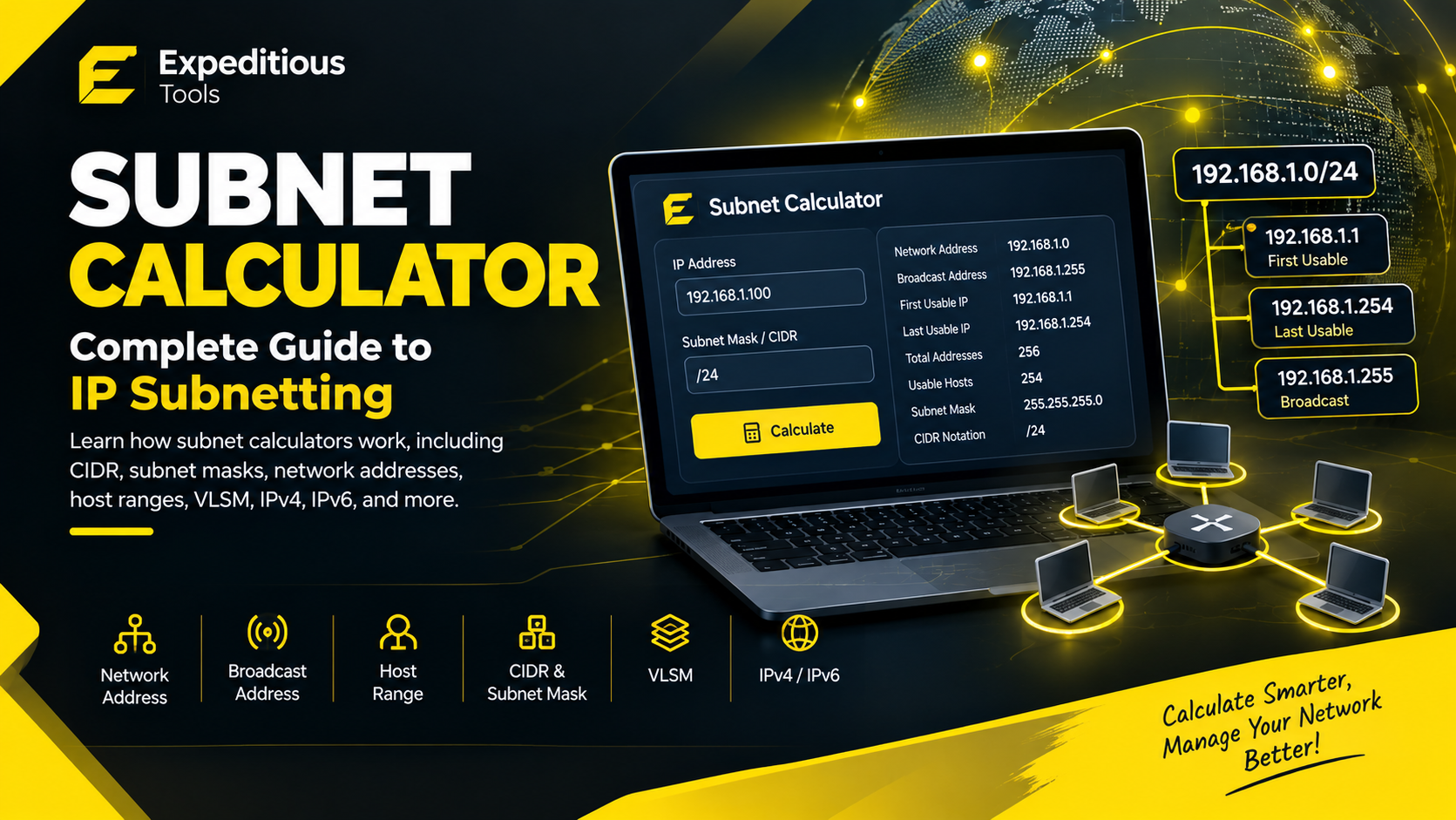
Computer networks can become difficult to manage as the number of devices, users, servers, and services increases. Network administrators need ways to divide large networks into smaller sections, calculate available IP addresses, and organize devices efficiently. This is where subnetting becomes important.
A subnet calculator makes subnetting much easier by automatically calculating important network information from an IP address and subnet mask or CIDR prefix.
Whether you are a network administrator, IT professional, developer, cybersecurity student, or someone learning networking, understanding how a subnet calculator works can save time and reduce calculation errors.
In this complete guide, we will explain what a subnet is, how subnetting works, what CIDR means, how to calculate network and broadcast addresses, how many hosts a subnet can support, and how to use a subnet calculator effectively.
What Is a Subnet?
A subnet, short for subnetted network, is a smaller logical network created from a larger IP network.
Instead of putting every device into one large network, administrators can divide a network into multiple smaller networks.
For example, an organization might have separate subnets for:
- Employees
- Servers
- Guest devices
- Security systems
- Printers
- Voice or VoIP devices
- Development environments
Each subnet can have its own range of IP addresses.
Subnetting helps organizations organize networks while improving address management, routing, and network segmentation.
What Is a Subnet Calculator?
A subnet calculator is an online or software-based networking tool that calculates subnet information from an IP address and subnet mask or CIDR prefix.
Depending on the tool, a subnet calculator may provide
information such as:
- IP address
- Subnet mask
- CIDR prefix
- Network address
- Broadcast address
- First usable IP address
- Last usable IP address
- Number of addresses
- Number of usable host addresses
- Wildcard mask
- IP address range
- Network class information
Instead of performing binary calculations manually, you can enter an address such as:
192.168.1.0/24
and quickly determine the characteristics of that network.
A subnet calculator is especially useful when working with multiple networks or more complicated CIDR prefixes.
What Is an IP Address?
Before understanding subnetting, it is important to understand IP addresses.
An IP address identifies a device or network interface within an IP-based network.
The most common version used in traditional networking is IPv4.
An IPv4 address contains 32 bits and is normally written as four decimal octets.
For example:
192.168.1.10
Each octet can contain a value from 0 through 255.
The four octets represent:
192 . 168 . 1 . 10
Internally, however, an IPv4 address is represented in binary.
For example:
192 = 11000000
168 = 10101000
1   = 00000001
10  = 00001010
Therefore, the complete IPv4 address contains 32 binary bits.
What Is a Subnet Mask?
A subnet mask determines which portion of an IPv4 address identifies the network and which portion is available for hosts.
For example:
IP Address:
192.168.1.10

Subnet Mask:
255.255.255.0
The subnet mask can also be represented using CIDR notation:
192.168.1.10/24
The /24 means that the first 24 bits are used for the network portion.
The remaining 8 bits are available for host addressing.
This is one of the most important concepts behind subnet calculations.
What Does CIDR Mean?
CIDR stands for Classless Inter-Domain Routing.
CIDR notation represents an IP network using an IP address followed by a slash and a prefix length.
For example:
192.168.1.0/24
Here:
192.168.1.0is the network address/24is the CIDR prefix length
The prefix length indicates how many bits belong to the network portion.
For IPv4, the prefix can range from:
/0
through:
/32
A /24 network has 24 network bits and 8 host bits.
A /16 network has 16 network bits and 16 host bits.
A /30 network has 30 network bits and only 2 host bits.
A subnet calculator can automatically convert CIDR prefixes into their corresponding subnet masks.
Common IPv4 CIDR Prefixes
Here are some commonly encountered IPv4 prefixes:
| CIDRSubnet MaskTotal Addresses | ||
| /8 | 255.0.0.0 | 16,777,216 |
| /16 | 255.255.0.0 | 65,536 |
| /24 | 255.255.255.0 | 256 |
| /25 | 255.255.255.128 | 128 |
| /26 | 255.255.255.192 | 64 |
| /27 | 255.255.255.224 | 32 |
| /28 | 255.255.255.240 | 16 |
| /29 | 255.255.255.248 | 8 |
| /30 | 255.255.255.252 | 4 |
| /31 | 255.255.255.254 | 2 |
| /32 | 255.255.255.255 | 1 |
The number of addresses includes the entire address space represented by the prefix. The number of traditionally usable host addresses can differ depending on the prefix and networking context.
How Many IP Addresses Does a Subnet Have?
For a typical IPv4 subnet, the number of addresses can be calculated using:
Total Addresses = 2^(32 - Prefix Length)
For example, with a /24 network:
2^(32 - 24)
= 2^8
= 256 addresses
A traditional /24 IPv4 subnet therefore contains 256
addresses.
For a /26:
2^(32 - 26)
= 2^6
= 64 addresses
For a /28:
2^(32 - 28)
= 2^4
= 16 addresses
A subnet calculator performs these calculations automatically.
Usable Host Addresses
In many traditional IPv4 subnets, the network address and broadcast address are reserved for special purposes.
For a typical subnet larger than /31, the traditional calculation is:
Usable Hosts = Total Addresses - 2
For example, a /24 network contains:
256 total addresses
Traditionally:
256 - 2 = 254 usable host addresses
The first address identifies the network, while the last address is the broadcast address.
However, the -2 rule is not universal. /31 networks are commonly used for point-to-point links under RFC 3021, and /32 represents a single IPv4 address. This is why network engineers should interpret the results of a subnet calculator according to the networking environment rather than blindly applying the traditional formula.
What Is a Network Address?
The network address identifies the subnet itself.
For example:
IP Address:
192.168.1.25

Subnet:
255.255.255.0
The network address is:
192.168.1.0
Devices within the same subnet share the same network portion.
A subnet calculator can determine the network address automatically from the supplied IP address and subnet mask.
What Is a Broadcast Address?
In traditional IPv4 subnetting, the broadcast address is the final address in the subnet and is used to send traffic to all hosts on that subnet.
For:
192.168.1.0/24
the broadcast address is:
192.168.1.255
The traditional usable host range is:
192.168.1.1
through:
192.168.1.254
A subnet calculator can display these values instantly.
IPv6 does not use broadcast addresses. Instead, IPv6 uses multicast for functions that may otherwise rely on broadcast in IPv4.
What Is the First Usable IP Address?
In a traditional IPv4 subnet, the first address after the network address is commonly considered the first usable host address.
For:
192.168.1.0/24
the first usable address is:
192.168.1.1
The network address itself is:
192.168.1.0
This distinction is important when assigning IP addresses to devices.
What Is the Last Usable IP Address?
The last usable address in a traditional IPv4 subnet is normally the address immediately before the broadcast
address.
For:
192.168.1.0/24
the broadcast address is:
192.168.1.255
Therefore, the traditional last usable host address is:
192.168.1.254
A subnet calculator can show the complete range automatically.
Example: Calculating a /24 Network
Consider:
IP Address: 192.168.10.25
CIDR: /24
The subnet mask is:
255.255.255.0
The network address is:
192.168.10.0
The broadcast address is:
192.168.10.255
The traditional usable host range is:
192.168.10.1 - 192.168.10.254
There are:
256 total addresses
254 traditional usable host addresses
A subnet calculator provides these results without requiring manual binary calculations.
Example: Calculating a /26 Network
Now consider:
192.168.10.70/26
The /26 subnet mask is:
255.255.255.192
A /26 contains 64 total addresses.
The subnet boundaries occur in blocks of 64:
192.168.10.0 - 192.168.10.63
192.168.10.64 - 192.168.10.127
192.168.10.128 - 192.168.10.191
192.168.10.192 - 192.168.10.255
Since 70 falls between 64 and 127, the network is:
Network Address:
192.168.10.64
The broadcast address is:
192.168.10.127
The traditional usable host range is:
192.168.10.65 - 192.168.10.126
There are:
64 total addresses
62 traditional usable host addresses
This example demonstrates why subnet calculators are useful when working with prefixes other than /24.
What Is VLSM?
VLSM, or Variable Length Subnet Masking, allows different subnets within a larger network to use different prefix lengths.
For example, an organization might need:
- 100 addresses for one department
- 50 addresses for another
- 20 addresses for a small team
- 10 addresses for network infrastructure
Using the same subnet size for every department could waste address space.
With VLSM, the administrator can allocate different subnet sizes based on actual requirements.
For example:
Large department → /25
Medium department → /26
Small department → /27
Infrastructure → /28
The exact allocation depends on the required addresses and network design.
A subnet calculator is particularly useful when planning VLSM because it can quickly calculate boundaries and available address ranges.
What Is Subnetting?
Subnetting is the process of dividing an IP network into
smaller subnetworks.
For example, a /24 network contains 256 IPv4 addresses.
It can be divided into four /26 subnets:
192.168.1.0/26
192.168.1.64/26
192.168.1.128/26
192.168.1.192/26
Each /26 contains 64 addresses.
Subnetting can make network management more organized and can help control broadcast domains in IPv4 networks.
Why Is Subnetting Important?
Subnetting provides several practical benefits.
Better Network Organization
Different departments or services can be assigned separate networks.
Efficient Address Allocation
Subnetting allows organizations to allocate address space according to actual requirements.
Network Segmentation
Separating devices into different subnets can support security and traffic-management architectures.
Routing Control
Routers can use subnet information to determine where traffic should be forwarded.
Reduced IPv4 Broadcast Scope
In traditional IPv4 networks, smaller subnets can reduce the number of devices receiving broadcast traffic.
Subnetting is therefore an important part of network design.
Public vs Private IP Addresses
Subnet calculations can apply to both public and private IPv4 address spaces.
Private IPv4 ranges defined by RFC 1918 include:
10.0.0.0/8
172.16.0.0/12
192.168.0.0/16
These addresses are commonly used inside local networks and are not globally routable on the public Internet.
For example:
192.168.1.0/24
is a common private IPv4 network.
Public IP addresses are assigned for use on networks that require globally routable addressing.
A subnet calculator focuses on the mathematical structure of the network. Whether an address is public or private is a separate consideration.
IPv4 Subnetting vs IPv6
Subnetting concepts also apply to IPv6, but IPv6 addressing works differently.
IPv4 uses 32-bit addresses, while IPv6 uses 128-bit addresses.
An IPv6 address might look like:
2001:db8:1234:5678::1
IPv6 commonly uses prefixes such as:
/64
A /64 IPv6 network contains:
2^64
addresses.
That is an enormous address space compared with a typical IPv4 subnet.
IPv6 does not use broadcast addresses. Instead, multicast and other mechanisms are used for relevant communication tasks.
When choosing a subnet calculator, make sure it supports the IP version you are working with.
What Is a Wildcard Mask?
A wildcard mask is commonly used in networking technologies such as access control lists and routing protocols.
A wildcard mask is the inverse of a subnet mask.
For example:
Subnet Mask:
255.255.255.0
has the wildcard mask:
0.0.0.255
Another example:
Subnet Mask:
255.255.255.192
has the wildcard mask:
0.0.0.63
A subnet calculator can save time by calculating wildcard masks automatically.
Subnet Calculator for Network Troubleshooting
A subnet calculator is not only useful during network design.
It can also help with troubleshooting.
Suppose two devices have these addresses:
Device A:
192.168.10.20/24

Device B:
192.168.10.80/24
Both belong to:
192.168.10.0/24
Now consider:
Device A:
192.168.10.20/26

Device B:
192.168.10.80/26
The first device belongs to:
192.168.10.0/26
while the second belongs to:
192.168.10.64/26
They are therefore in different /26 subnets.
A subnet calculator can quickly reveal this kind of addressing difference.
How to Use a Subnet Calculator
Using an online subnet calculator is usually straightforward.
Step 1: Enter the IP Address
Enter the IPv4 or IPv6 address you want to analyze.
For example:
192.168.1.100
Step 2: Enter the CIDR Prefix or Subnet Mask
You might enter:
/24
or:
255.255.255.0
depending on the tool.
Step 3: Calculate the Network
The tool processes the address and subnet information.
Step 4: Review the Results
A capable subnet calculator may display:
- Network address
- Broadcast address
- Subnet mask
- CIDR notation
- First host
- Last host
- Total addresses
- Usable addresses
- Wildcard mask
- Address range
Step 5: Use the Information for Network Planning
The results can help with network configuration, troubleshooting, documentation, and subnet design.
Common Subnetting Mistakes
Subnetting can become confusing when calculations are performed manually.
Common mistakes include:
Confusing Network and Host Portions
The CIDR prefix determines how many bits belong to the network.
Miscalculating Address Ranges
Subnet boundaries must align with the prefix length.
Forgetting the Broadcast Address
Traditional IPv4 networks often reserve the last address as the broadcast address.
Assuming Every Subnet Has Two Reserved Addresses
The traditional network + broadcast rule has exceptions, such as /31 point-to-point IPv4 networks.
Confusing CIDR With IP Classes
Modern networking uses CIDR rather than relying on the old classful A, B, and C model for determining network boundaries.
Using the Wrong Subnet Mask
A single incorrect mask can place a device in an unexpected network.
A subnet calculator can reduce these arithmetic errors.
Subnet Calculator for Network Administrators
Network administrators can use subnet calculators when designing and documenting networks.
Common tasks include:
- Planning VLAN address ranges
- Assigning IP address blocks
- Designing office networks
- Calculating router interfaces
- Planning server networks
- Creating firewall rules
- Troubleshooting connectivity
- Designing segmented environments
- Calculating VLSM allocations
The calculator does not replace network design knowledge, but it makes repetitive calculations faster.
Subnet Calculator for Students
Subnetting is a common topic in networking education and certification training.
Students may need to calculate:
- Network addresses
- Broadcast addresses
- Host ranges
- Number of hosts
- Number of subnets
- CIDR prefixes
- Subnet masks
Learning the underlying mathematics is valuable, but using a subnet calculator can help students verify their answers and understand the relationship between IP addresses, masks, and prefixes.
It is best to understand the calculation first and use the tool as a verification aid rather than treating the calculator as a black box.
Subnet Calculator for Developers
Developers working with networking applications may encounter CIDR notation in:
- APIs
- Cloud platforms
- Firewall configurations
- Access-control systems
- Server configuration
- Infrastructure automation
- IP allowlists
- Network monitoring
A subnet calculator can help developers quickly understand whether an IP address belongs to a particular network range.
For more advanced applications, developers can use established IP-address and CIDR libraries rather than manually implementing complex address calculations.
Security and Subnetting
Subnetting is often associated with network security because network segmentation can help organizations separate systems and control traffic flows.
For example, an organization might place:
Public-facing services
        ↓
DMZ subnet
        ↓
Internal application subnet
        ↓
Database subnet
However, subnetting alone does not provide complete security.
Firewalls, access-control rules, authentication, encryption, monitoring, endpoint protection, and proper system configuration are also important.
A subnet is a network boundary, not a complete security solution.
Frequently Asked Questions About Subnet Calculators
What does a subnet calculator do?
A subnet calculator calculates networking information from an IP address and subnet mask or CIDR prefix. It can show network addresses, broadcast addresses, host ranges, and address counts.
What is CIDR notation?
CIDR notation represents an IP address and network prefix using a slash followed by the number of network bits, such as 192.168.1.0/24.
How many addresses are in a /24 subnet?
An IPv4 /24 contains 256 total addresses. In the traditional IPv4 model, 254 are usable for hosts because the network and broadcast addresses have special purposes.
How many hosts can a /26 subnet support?
A /26 contains 64 total IPv4 addresses. Traditionally, 62 are usable host addresses.
What is the difference between a subnet mask and CIDR?
A subnet mask uses dotted-decimal notation, such as 255.255.255.0. CIDR expresses the same network boundary as /24.
Can a subnet calculator calculate IPv6 networks?
Some subnet calculators support both IPv4 and IPv6. Because IPv6 uses 128-bit addresses, make sure the tool specifically supports IPv6 if you need IPv6 calculations.
Is subnetting the same as VLANs?
No. Subnetting defines IP network boundaries, while VLANs provide Layer 2 logical segmentation. They are often used together, but they are not the same technology.
Can subnetting improve network security?
Subnetting can support network segmentation and traffic-control strategies, but it does not replace firewalls, access controls, authentication, or other security measures.
Conclusion
A subnet calculator is a practical tool for anyone working with IP networks. It can quickly calculate subnet masks, CIDR information, network addresses, broadcast addresses, host ranges, address counts, and other useful networking details.
Understanding subnetting remains important even when a calculator performs the mathematics for you. Concepts such as CIDR, network and host portions, subnet masks, VLSM, IPv4 address ranges, and IPv6 prefixes form the foundation of modern IP networking.
For network administrators, developers, IT students, and cybersecurity professionals, a subnet calculator can reduce repetitive calculations and help verify network configurations.
Instead of manually converting every address into binary and calculating each subnet boundary, you can use the Expeditious Tools Subnet Calculator to quickly analyze an IP address and its network configuration.
Whether you are studying for a networking certification, troubleshooting a connection, planning an office network, or working with cloud infrastructure, understanding how subnetting works will make the results of a subnet calculator much more meaningful.