Passwords are one of the most important lines of defense between your personal information and unauthorized access. From email accounts and social media to banking, shopping, cloud storage, and business applications, passwords protect countless digital services we use every day.
However, creating a strong password is not always easy. Many people reuse the same password across multiple accounts or choose information that is easy to remember, such as names, birthdays, phone numbers, or common words. These habits can make accounts easier to compromise.
A password generator provides a simple solution. Instead of trying to invent a different password for every account, you can use a password generator to create random and difficult-to-guess passwords.
In this complete guide, we will explain what a password generator is, how it works, what makes a password strong, how password length affects security, and how to create safer passwords for your online accounts.
What Is a Password Generator?
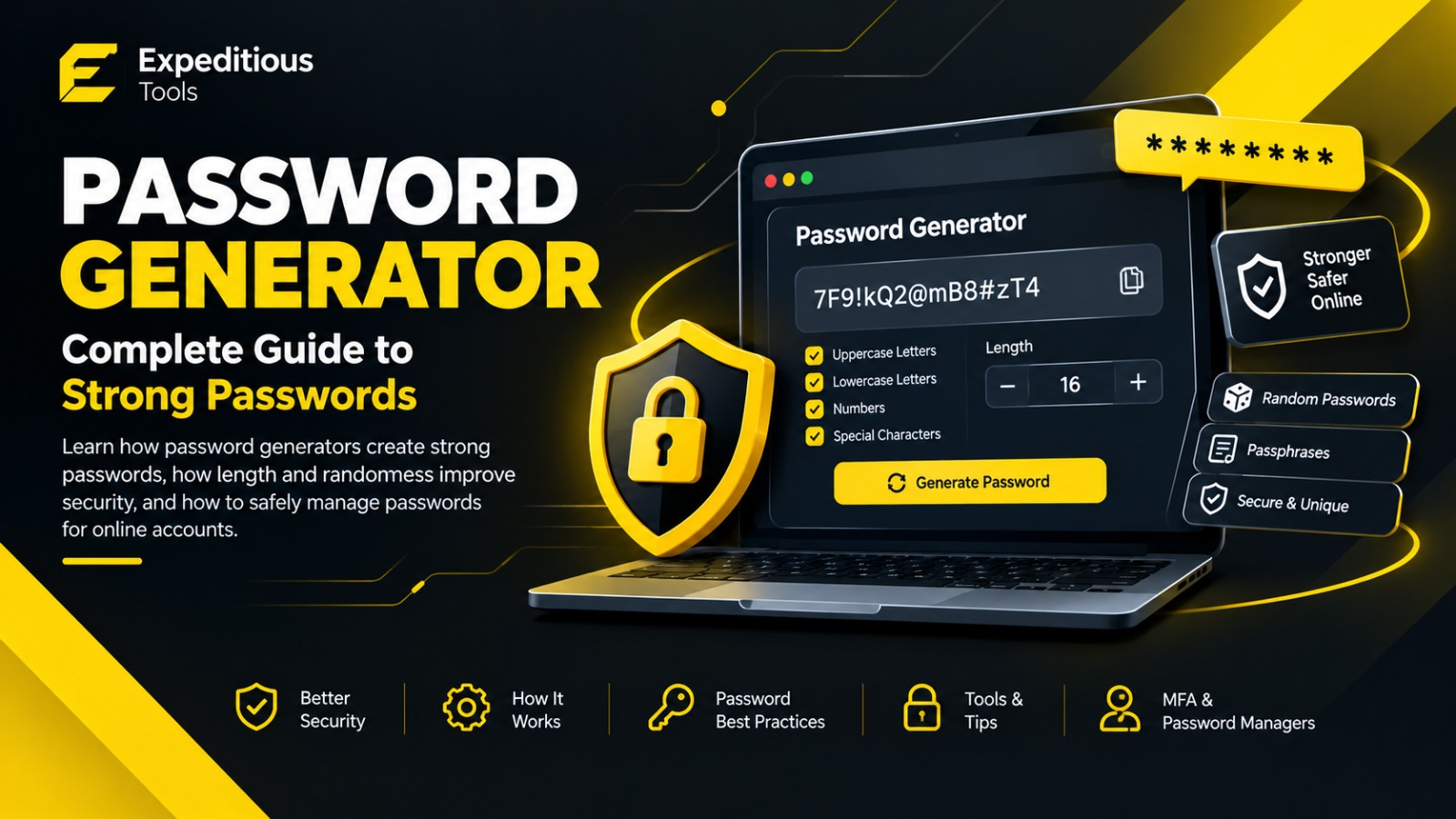
A password generator is a tool that automatically creates passwords using randomly selected characters.
Depending on the tool, generated passwords can contain:
- Uppercase letters
- Lowercase letters
- Numbers
- Special characters
- Symbols
- Random words
For example, a generated password might look like:
vT7!qP9#Lm2@xR8$
Unlike a password based on personal information, a randomly generated password does not need to have an obvious connection to the person using it.
A good password generator can also allow users to customize the password according to their requirements. You may be able to select the password length and decide whether numbers, symbols, uppercase letters, or lowercase letters should be included.
Why Use a Password Generator?
Creating passwords manually can lead to predictable patterns.
Someone might create passwords such as:
Pakistan123
Password123
Ali@123
MyName2026
These passwords may be easy to remember, but they can also be easier for attackers to guess or test.
A password generator creates passwords without relying on personal information or predictable patterns.
The main advantages include:
Randomness
A randomly generated password can be much harder to predict than a password created from familiar words.
Unique Passwords
You can create a different password for every account instead of reusing one password everywhere.
Stronger Passwords
A password generator can produce long combinations containing multiple character types.
Convenience
Instead of spending several minutes thinking of a new password, you can generate one within seconds.
Better Security Habits
Using a password generator encourages users to stop relying on predictable passwords.
What Makes a Password Strong?
Password strength depends on several factors. The most important considerations include length, unpredictability, uniqueness, and how the password is used.
Password Length
Longer passwords generally provide a larger number of possible combinations.
For example, a four-character password has far fewer possible combinations than a 16-character password.
This is why modern password security guidance generally emphasizes creating sufficiently long passwords rather than relying only on complicated symbols.
A password such as:
BlueHouse
is relatively short and contains common words.
A randomly generated password such as:
Q7!mZ2#vL9@pR4$x
has greater complexity and length.
However, length alone does not automatically make a password secure. A long password containing predictable information may still be vulnerable.
Password Complexity
Complexity refers to the variety and unpredictability of characters used in a password.
A password generator may allow you to combine:
- A-Z
- a-z
- 0-9
- Symbols
For example:
G7#pL2!xQ9@vN4
contains uppercase letters, lowercase letters, numbers, and symbols.
Adding different character types can increase the number of possible combinations. However, security should not depend solely on forcing specific character categories. A sufficiently long and unpredictable password is generally more important than simply adding one symbol.
What Is Password Entropy?
Password entropy is a way of describing the uncertainty or unpredictability of a password.
A password with more possible combinations generally has higher theoretical entropy.
For a randomly generated password, the approximate
theoretical entropy can be estimated using:
Entropy = Length × log₂(Character Set Size)
For example, if a password uses a character set containing 94 possible characters, increasing the password length significantly increases the number of possible combinations.
This is one reason a password generator can be useful. It can create passwords from a large character set without requiring the user to manually select every character.
However, theoretical entropy assumes that the password is actually generated randomly. A password that looks complicated but follows a predictable pattern may not have the security expected from a truly random password.
Password Generator vs Creating Your Own Password
There is nothing inherently wrong with creating your own password. The problem is that humans are generally good at creating patterns.
People often use:
- Names
- Birthdays
- Favorite teams
- Family names
- Phone numbers
- Common phrases
- Keyboard patterns
- Repeated characters
For example:
John1995!
may look stronger than a simple word, but it contains predictable personal information.
A password generator removes much of this human predictability by generating combinations automatically.
Instead of asking:
"What password should I create?"
you can let a secure generator create a random value for you.
How Does a Password Generator Work?
A password generator typically starts by defining the characters that can be used.
For example:
ABCDEFGHIJKLMNOPQRSTUVWXYZ
abcdefghijklmnopqrstuvwxyz
0123456789
!@#$%^&*()
The generator then selects characters according to its generation method and the options selected by the user.
A typical workflow looks like this:
Choose Length
      ↓
Choose Character Types
      ↓
Generate Random Password
      ↓
Copy Password
      ↓
Store Securely
The quality of the generated password depends heavily on the randomness source used by the application.
For security-sensitive password generation, developers should use a cryptographically secure random number generator (CSPRNG) rather than an ordinary pseudo-random function designed for non-security applications.
What Is a Cryptographically Secure Random Number Generator?
A cryptographically secure random number generator is designed to produce random values that are difficult for an attacker to predict.
This distinction matters.
A normal random function may be suitable for:
- Games
- Simulations
- UI effects
- General programming tasks
But password generation is a security-sensitive operation.
A secure password generator should use an appropriate cryptographic randomness source provided by the operating system, browser, or trusted cryptographic library.
Modern web applications can use browser security APIs designed for cryptographic randomness rather than relying on basic random-number functions.
How Long Should a Password Be?
There is no single length that is perfect for every situation. The appropriate minimum depends on the account, service, authentication system, and current security requirements.
For general personal accounts, many security professionals recommend using passwords that are sufficiently long and unique. A practical approach is to use a password generator capable of creating passwords around 16 characters or longer when the service permits it.
For especially sensitive accounts, longer passwords can provide additional protection.
The important principles are:
- Make passwords sufficiently long.
- Make them unpredictable.
- Use a unique password for each important account.
- Never reuse passwords across unrelated services.
If a website imposes a maximum password length or restricts certain characters, follow its requirements.
Random Passwords vs Passphrases
Not everyone prefers random strings such as:
v8#Qm2!Lp7@Zx4
Another option is a passphrase.
A passphrase combines multiple words into a longer sequence.
For example:
river-cactus-lamp-orange-window
A sufficiently long, randomly selected passphrase can be easier to remember while still providing strong security.
The important word here is randomly.
Choosing your favorite five words from a familiar sentence does not provide the same security as selecting words randomly from a suitable word list.
A password generator may support both traditional random passwords and randomly generated passphrases.
Should You Use Special Characters?
Special characters can increase the available character set and may make randomly generated passwords more difficult to guess.
Examples include:
! @ # $ % ^ & * ( )
However, special characters are not a magic ingredient.
Consider these examples:
Password123!
and:
mQ7#vL2@xR9!pT4$
The first password uses uppercase and lowercase letters, numbers, and a symbol, but it is still predictable.
The second password is substantially more random.
This demonstrates an important principle: unpredictability matters more than simply checking character categories.
Why You Should Never Reuse Passwords
Password reuse is one of the most important account-security mistakes to avoid.
Imagine that you use the same password for:
- Social media
- Shopping
- Cloud storage
- Work account
If one website suffers a data breach and your password is exposed, attackers may attempt to use the same credentials on other services.
This is sometimes called credential stuffing.
Using a unique password for every important account limits the damage from a single compromised service.
A password generator makes this practical because you can quickly generate a different password for every account.
Password Generator and Password Managers
Generating strong passwords is only half the problem.
The next question is:
How do you remember them?
If every account has a different 16-character password, memorizing all of them becomes unrealistic.
This is where password managers can help.
A password manager can securely store your passwords and allow you to use strong, unique credentials without memorizing every password.
A typical workflow looks like this:
Password Generator
        ↓
Strong Unique Password
        ↓
Password Manager
        ↓
Website or Application
You generally need to remember only the password required to access the password manager itself.
Use a reputable password manager and protect it with a strong master credential and available security features such as multi-factor authentication.
What Should You Avoid When Creating Passwords?
Even when using a password generator, understanding common mistakes is useful.
Avoid Personal Information
Do not use easily discoverable information such as:
- Your name
- Date of birth
- Phone number
- Address
- Family names
- Employer name
Avoid Common Passwords
Avoid passwords such as:
123456
password
qwerty
admin
12345678
These are among the types of credentials attackers can test quickly.
Avoid Predictable Patterns
Examples include:
Password1
Password2
Password3
Changing one number does not create genuinely independent passwords.
Avoid Reusing Passwords
A password should ideally be unique to one account.
Avoid Storing Passwords in Plain Text
Do not keep your passwords in an unprotected text file or note that anyone with access to your device can easily read.
A reputable password manager provides a more appropriate way to store credentials.
Is an Online Password Generator Safe?
An online password generator can be convenient, but you should consider how it generates passwords and whether sensitive information is transmitted or stored.
For password generation, the ideal workflow is one where the password is generated securely and does not need to be sent to a remote server.
If you use an online password generator, look for information about:
- How passwords are generated
- Whether passwords are transmitted
- Whether generated passwords are stored
- Whether the website uses HTTPS
- Whether the tool explains its privacy practices
For highly sensitive environments, organizations may prefer trusted local or enterprise password-generation solutions.
How to Use the Expeditious Tools Password Generator
The Expeditious Tools Password Generator is designed to make creating strong passwords quick and straightforward.
A typical process is simple:
Step 1: Open the Password Generator
Visit the Password Generator tool on Expeditious Tools.
Step 2: Choose Your Password Length
Select an appropriate length based on the requirements of the account or application.
Step 3: Select Character Types
Depending on the available options, choose combinations such as:
- Uppercase letters
- Lowercase letters
- Numbers
- Symbols
Step 4: Generate the Password
Use the generator to create a random password.
Step 5: Copy and Store It Securely
Copy the generated password and save it in a reputable password manager or enter it directly into the account registration or password-change form.
Do not share your generated password with other people.
Password Generator for Developers
Password generators are also useful for developers and system administrators.
Developers may need strong random values when testing:
- Authentication systems
- User registration
- Account recovery
- Temporary credentials
- API testing
- Development environments
However, developers should distinguish between a password intended for a real user and a random value used as an application token.
For security-sensitive systems, developers should use established cryptographic libraries and follow the security requirements of the platform.
Passwords should also be stored correctly on the server.
Applications should never store users' passwords as plain text.
Instead, passwords should be processed using an appropriate password hashing algorithm, such as:
- Argon2
- bcrypt
- scrypt
- PBKDF2
A password hash is fundamentally different from simply encrypting or hashing a password with a fast general-purpose hash such as SHA-256.
Password Generator vs Password Hash Generator
These two concepts are easy to confuse.
A password generator creates a password for a user.
A password hash is produced by processing a password through a password-hashing algorithm for secure storage.
For example:
Password Generator
        ↓
Random Password
        ↓
User Account
        ↓
Password Hashing
        ↓
Secure Password Record
A password generator does not replace secure password storage.
Similarly, a password hash generator should not be treated as a password generator.
Passwords and Multi-Factor Authentication
Strong passwords are important, but passwords should not be your only layer of defense when additional security options are available.
Multi-factor authentication (MFA) adds another verification factor.
Depending on the service, this may include:
- Authentication apps
- Security keys
- Biometrics
- One-time codes
- Other verification methods
With MFA enabled, an attacker who obtains your password may still need the additional authentication factor.
A strong password combined with MFA provides a stronger security posture than relying on a password alone.
How Often Should You Change Your Password?
Older security advice often recommended changing passwords on a fixed schedule, such as every 30, 60, or 90 days.
Modern password-security guidance generally places more emphasis on using strong, unique passwords and changing them when there is a reason to believe they have been compromised.
You should change a password when:
- You suspect unauthorized access.
- The service reports a breach.
- You accidentally share the password.
- You discover that the password has been reused elsewhere.
- Your organization requires a change as part of its security policy.
Regularly changing a strong password without a reason can sometimes encourage people to create weaker variations of the same password.
Password Security Checklist
Before considering an account properly protected, review this checklist:
- Use a long password.
- Make the password unpredictable.
- Use a unique password for important accounts.
- Avoid personal information.
- Avoid common passwords.
- Avoid predictable patterns.
- Use a reputable password manager.
- Enable multi-factor authentication where available.
- Never share your password.
- Change compromised passwords immediately.
- Use secure password hashing on applications you develop.
- Keep your devices and software updated.
Frequently Asked Questions About Password Generators
What is the purpose of a password generator?
A password generator creates random passwords that are designed to be difficult to guess. It helps users avoid predictable passwords and makes it easier to create unique credentials for different accounts.
Is a randomly generated password better than a personal password?
A properly generated random password is generally more difficult to predict than a password based on personal information, common words, or familiar patterns.
What is the best password length?
The ideal length depends on the service and its requirements. For many personal accounts, using a password generator to create a password around 16 characters or longer is a practical approach when supported.
Should every account have a different password?
Yes. Unique passwords reduce the risk that a compromised password can be reused to access your other accounts.
Can I use the same password for multiple websites?
It is strongly preferable not to reuse passwords, especially for important accounts such as email, banking, work, and cloud services.
Are password generators safe?
A password generator can be safe when it uses appropriate cryptographic randomness and handles generated values responsibly. Users should also consider whether an online service sends or stores generated passwords.
Should passwords contain symbols?
Symbols can increase the available character set, but randomness and sufficient length are more important than simply adding symbols.
Can a password generator remember my passwords?
A password generator creates passwords. A password manager is designed to store and manage them securely.
These tools serve different purposes.
Conclusion
A strong password is one of the simplest ways to improve your digital security. Unfortunately, manually creating strong and unique passwords for every account can be difficult. This is where a password generator becomes useful.
A good password generator can create random, long, and difficult-to-predict passwords within seconds. By combining generated passwords with unique credentials, a reputable password manager, secure password storage, and multi-factor authentication, users can significantly improve their overall account-security practices.
For developers, understanding the difference between password generation and password hashing is equally important. Passwords should never be stored as plain text, and applications should use dedicated password-hashing algorithms such as Argon2, bcrypt, scrypt, or PBKDF2.
If you need a quick way to create a strong password, try the Expeditious Tools Password Generator. Choose your preferred password length and character options, generate a secure random password, and store it safely.
Good password security does not have to be complicated. Start with strong, unique credentials and build the rest of your security habits around them.