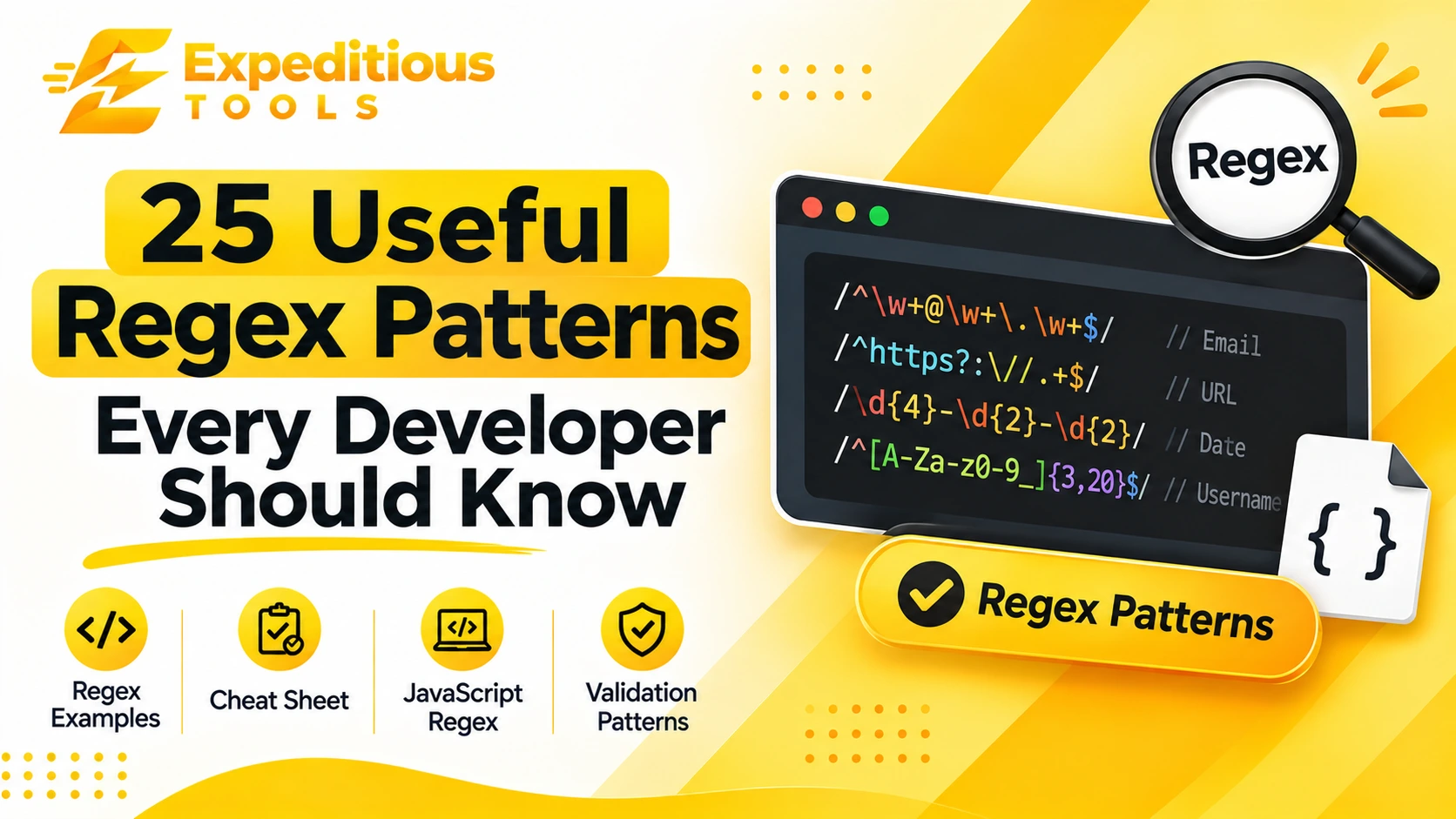
Regular expressions, commonly known as regex, are powerful tools for searching, matching, validating, and manipulating text. Whether you are building a web application, processing user input, validating forms, extracting information, or cleaning large datasets, regex can help you complete complex text-processing tasks with relatively short expressions.
Developers frequently work with strings containing email addresses, phone numbers, URLs, dates, usernames, passwords, and other structured information. Checking every character manually would be time-consuming and difficult to maintain.
This is where regex patterns become useful.
A regular expression describes a pattern that text must match. Programming languages and text-processing tools can use that pattern to search for specific content, replace matching characters, or validate whether an input follows a particular format.
For example, a simple regex can identify whether a string contains only digits:
^\d+$
This expression matches strings such as 12345 but rejects strings containing letters or spaces.
In this complete guide, we will explore 25 useful regex patterns every developer should know, explain how regular expressions work, provide practical regex examples, discuss JavaScript implementation, and cover common mistakes and best practices.
Whether you are a beginner or an experienced developer, this regular expression cheat sheet will give you a practical collection of patterns for everyday development work.
What Is Regex?
Regex stands for regular expression.
It is a sequence of characters that defines a search pattern. Developers use regular expressions to identify, match, extract, validate, and replace text.
For example, imagine you want to find every email address inside a large text document.
Instead of checking each line manually, you can use a regular expression to identify strings that resemble email addresses.
A basic regex example is:
\d+
This pattern matches one or more digits.
It can identify:
123
45678
2026
987654
Regular expressions are supported by many programming languages and tools, including:
- JavaScript
- PHP
- Python
- Java
- C#
- Ruby
- Go
- Visual Studio Code
- Command-line utilities
The exact regex syntax and available features can vary between regex engines, so developers should test patterns in the environment where they will be used.
Understanding Basic Regex Syntax
Before exploring the 25 patterns, it is important to understand the symbols used in regular expressions.
Here are some common regex characters.
| SymbolMeaningExample | ||
| . | Matches most characters except line terminators by default | a.c |
| \d | Matches a digit | \d+ |
| \D | Matches a non-digit | \D+ |
| \w | Matches a word character | \w+ |
| \W | Matches a non-word character | \W+ |
| \s | Matches whitespace | \s+ |
| \S | Matches non-whitespace | \S+ |
| ^ | Matches the beginning of input or line, depending on mode | ^Hello |
| $ | Matches the end of input or line, depending on mode | world$ |
| * | Matches zero or more repetitions | a* |
| + | Matches one or more repetitions | a+ |
| ? | Makes a quantifier optional or lazy, depending on position | colou?r |
| {n} | Matches exactly n repetitions | \d{4} |
| {n,m} | Matches between n and m repetitions | \d{2,5} |
| [] | Defines a character class | [a-z] |
| () | Creates a capturing group | (abc) |
| | | Represents alternation | cat|dog |
Understanding these symbols makes it easier to build more advanced regex patterns.
25 Useful Regex Patterns Every Developer Should Know
The following patterns cover common development tasks such as email validation, URL matching, password checks, number extraction, date formats, and text replacement.
The examples use broadly familiar regex syntax. Always consider the requirements of your application and the regex engine you are using.
1. Match Only Digits
Regex pattern:
^\d+$
This pattern matches a string containing one or more digits and nothing else.
Matches:
12345
987654
2026
Does not match:
123abc
12.50
hello
Use cases:
- Checking numeric input.
- Validating digit-only identifiers.
- Processing numeric strings.
- Extracting numeric form values.
The ^ and $ anchors ensure that the entire input consists of digits.
2. Match Only Letters
Regex pattern:
^[A-Za-z]+$
This expression matches strings containing only English alphabetic characters.
Matches:
John
Developer
Expeditious
Does not match:
John123
Hello World
user_name
Use cases:
- Validating simple alphabetic fields.
- Checking text that must contain English letters only.
- Filtering basic names or labels.
This pattern does not support every language's alphabet. For international text, Unicode property escapes may be more appropriate.
For example, in JavaScript:
/^\p{L}+$/u
This matches one or more Unicode letters.
3. Match Letters and Numbers
Regex pattern:
^[A-Za-z0-9]+$
This pattern accepts uppercase letters, lowercase letters, and digits.
Matches:
John123
User2026
Developer99
Does not match:
John_123
hello world
user@example.com
Use cases:
- Basic username validation.
- Checking alphanumeric identifiers.
- Validating simple codes.
4. Match an Email Address
<badge color="info">Common validation pattern</badge>
Regex pattern:
^[A-Za-z0-9._%+-]+@[A-Za-z0-9.-]+\.[A-Za-z]{2,}$
This is a practical pattern for checking common email address formats.
Matches:
john@example.com
developer123@gmail.com
hello.world@company.org
Does not match:
johnexample.com
john@
@example.com
Use cases:
- Basic email form validation.
- Checking common email input mistakes.
- Providing immediate frontend feedback.
However, email syntax is more complicated than this pattern covers. Some valid addresses may be rejected, and a regex match does not prove that an email address exists or belongs to the user.
For account registration, use server-side validation and email verification.
This is why an email validation regex should be treated as a practical input check rather than a complete email verification system.
5. Match a URL
Regex pattern:
^https?:\/\/[^\s/$.?#].[^\s]*$
This is a lightweight pattern for identifying common HTTP and HTTPS URLs.
Matches:
https://example.com
http://google.com
https://example.com/blog/article
Use cases:
- Basic URL input checks.
- Identifying links in simple forms.
- Checking whether a string begins with HTTP or HTTPS.
A URL validation regex is not a complete replacement for a proper URL parser.
In JavaScript, the built-in URL constructor is generally more reliable for parsing and validating URL structure.
function isValidURL(value) {
    try {
        const url = new URL(value);

        return url.protocol === "http:" ||
               url.protocol === "https:";
    } catch {
        return false;
    }
}

console.log(isValidURL("https://example.com"));
This approach also makes it easier to inspect individual URL components.
6. Match a Phone Number
Regex pattern:
^\+?[0-9\s().-]{7,20}$
This pattern accepts a common range of phone number characters.
Matches:
1234567890
+923001234567
+1 (555) 123-4567
0300-1234567
Use cases:
- Basic phone number input checks.
- Accepting different phone number separators.
- Filtering phone number fields.
Phone number formats differ between countries. This pattern checks the allowed characters and approximate length, not whether a number is assigned or valid in a particular country.
For international phone validation, use a dedicated phone-number parsing library.
7. Match a Strong Password Format
Regex pattern:
^(?=.*[a-z])(?=.*[A-Z])(?=.*\d)(?=.*[^A-Za-z0-9]).{8,}$
This pattern requires:
- At least one lowercase letter.
- At least one uppercase letter.
- At least one digit.
- At least one non-alphanumeric character.
- At least eight characters in total.
Matches:
Secure@123
Developer#2026
MyPass!789
Does not match:
password123
PASSWORD!
Developer123
Use cases:
- Basic password policy checks.
- Registration form validation.
- Demonstrating lookahead assertions.
A regex cannot determine whether a password is genuinely secure. Length, uniqueness, password reuse, breached-password checks, and secure storage also matter.
Modern applications should prefer long passwords or passphrases and use appropriate password hashing such as Argon2id or bcrypt on the server.
8. Match a Date in YYYY-MM-DD Format
Regex pattern:
^\d{4}-\d{2}-\d{2}$
This pattern checks whether a string follows the basic year-month-day structure.
Matches:
2026-01-15
2025-12-31
2000-06-20
Use cases:
- Checking date input formats.
- Validating date strings before parsing.
- Processing structured records.
Important: This regex does not verify whether the date actually exists.
For example, 2026-99-45 matches the pattern but is not a valid calendar date.
Use a date library or proper date parsing and validation for real calendar checks.
9. Match a Time in 24-Hour Format
Regex pattern:
^(?:[01]\d|2[0-3]):[0-5]\d$
This pattern matches times using the HH:MM format.
Matches:
09:30
14:45
23:59
00:00
Does not match:
25:30
12:75
9:30
Use cases:
- Scheduling forms.
- Time input validation.
- Checking 24-hour time strings.
10. Match a US ZIP Code
Regex pattern:
^\d{5}(?:-\d{4})?$
This pattern matches a five-digit US ZIP Code, optionally followed by a four-digit extension.
Matches:
10001
90210
10001-1234
Use cases:
- US address forms.
- Basic postal code validation.
- Processing address records.
Postal code formats differ around the world. Do not use this pattern for international addresses.
11. Match a Hexadecimal Color Code
Regex pattern:
^#(?:[A-Fa-f0-9]{3}|[A-Fa-f0-9]{6})$
This pattern matches common three-digit and six-digit hexadecimal color codes.
Matches:
#FFF
#000000
#FFC107
#1A2B3C
Use cases:
- CSS color input validation.
- Theme configuration.
- Color picker tools.
- Frontend design applications.
For a color picker, this pattern can help verify that a submitted value follows the expected hexadecimal format.
12. Match a Username
Regex pattern:
^[A-Za-z0-9_]{3,20}$
This pattern allows usernames containing letters, digits, and underscores.
It also requires a length between 3 and 20 characters.
Matches:
john123
developer_01
user_name
Does not match:
ab
john.doe
user name
Use cases:
- Registration forms.
- User profile systems.
- Basic username restrictions.
Adjust the allowed characters and length according to your application's requirements.
13. Match a Whitespace-Only String
Regex pattern:
^\s*$
This expression matches an empty string or a string
containing only whitespace.
Matches:
- ``
- Tabs and line breaks.
Use cases:
- Detecting empty form fields.
- Cleaning text input.
- Removing unnecessary whitespace.
- Validating required fields.
For form validation, remember that trimming input before checking whether it is empty may be simpler than using regex.
14. Match a String Without Spaces
Regex pattern:
^\S+$
This pattern matches one or more non-whitespace characters.
Matches:
developer123
hello_world
user@example.com
Does not match:
hello world
first name
A string containing only spaces.
Use cases:
- Checking single-token input.
- Validating simple identifiers.
- Filtering whitespace from specific fields.
15. Match an IPv4 Address Format
Regex pattern:
^(?:\d{1,3}\.){3}\d{1,3}$
This pattern checks the basic structure of an IPv4 address.
Matches:
192.168.1.1
127.0.0.1
10.0.0.1
However, it also matches invalid addresses such as 999.999.999.999.
A stricter pattern can check the range of each octet:
^(?:(?:25[0-5]|2[0-4]\d|1\d\d|[1-9]?\d)\.){3}(?:25[0-5]|2[0-4]\d|1\d\d|[1-9]?\d)$
Use cases:
- Basic IPv4 input validation.
- Network configuration forms.
- Filtering IP address strings.
For production networking applications, use a dedicated IP address parser where possible.
16. Match a Credit Card-Like Number
Regex pattern:
^\d{13,19}$
This pattern matches a sequence of 13 to 19 digits.
Matches:
4111111111111111
1234567890123
Use cases:
- Checking the basic length and digit-only format of card number input.
- Filtering numeric payment identifiers.
This does not validate a real payment card.
A production payment flow should use a trusted payment provider and appropriate validation, including the Luhn checksum where relevant. Do not treat a regex match as proof that a card is valid or chargeable.
17. Match an HTML Tag
Regex pattern:
<\/?[A-Za-z][A-Za-z0-9-]*(?:\s[^<>]*)?\/?>
This pattern can identify many simple HTML-like tags.
Matches:
<div>
</div>
<p class="text">
<img src="image.jpg" />
Use cases:
- Simple text inspection.
- Identifying tag-like strings.
- Basic markup analysis.
Regex is not a reliable tool for parsing arbitrary HTML because HTML has complex syntax, nesting, attributes, and special parsing rules.
Use an HTML parser when you need to process actual webpages or document structures.
18. Match a CSS Class Name
Regex pattern:
\.[A-Za-z_-][A-Za-z0-9_-]*
This pattern identifies common CSS class selectors.
Matches:
.container
.blog-title
.main_content
._header
Use cases:
- Inspecting CSS files.
- Searching for class selectors.
- Basic stylesheet analysis.
This pattern identifies common selector-like strings but does not parse complete CSS syntax.
19. Match a JavaScript Variable Name
Regex pattern:
^[A-Za-z_$][A-Za-z0-9_$]*$
This pattern matches many valid JavaScript identifier shapes.
Matches:
userName
_private
$element
user123
Use cases:
- Basic identifier checks.
- Code-generation utilities.
- Simple naming validation.
This pattern does not reject reserved words such as class, return, or const. Use the language parser if you need to validate actual JavaScript identifiers in context.
20. Extract Numbers From Text
Regex pattern:
\d+
This pattern finds one or more consecutive digits anywhere in a string.
Example input:
Order 123 contains 4 products and costs 2500.
Matches:
123
4
2500
Use cases:
- Extracting order numbers.
- Reading numeric values from text.
- Processing log files.
- Analyzing text data.
In JavaScript:
const text = "Order 123 contains 4 products";

const numbers = text.match(/\d+/g);

console.log(numbers);
// ["123", "4"]
21. Remove Extra Spaces
Regex pattern:
\s+
This pattern matches one or more consecutive whitespace characters.
You can replace matching whitespace with a single space.
JavaScript example:
const text = "Hello     World    Developer";

const result = text.replace(/\s+/g, " ");

console.log(result);
// Hello World Developer
Use cases:
- Cleaning user input.
- Formatting text.
- Normalizing whitespace.
- Processing copied content.
If you also want to remove leading and trailing spaces, use .trim().
22. Match a File Extension
Regex pattern:
\.([A-Za-z0-9]+)$
This pattern captures a file extension at the end of a
filename.
Matches:
image.jpg
document.pdf
script.js
photo.webp
The captured group contains the extension.
JavaScript example:
const filename = "image.webp";

const match = filename.match(/\.([A-Za-z0-9]+)$/);

console.log(match ? match[1] : null);
// webp
Use cases:
- Basic file type checks.
- File processing workflows.
- Identifying filename extensions.
- Upload form interfaces.
Do not rely on a filename extension alone to determine whether an uploaded file is safe or genuinely has the claimed file type. Validate file content on the server.
23. Match a Markdown Heading
Regex pattern:
^#{1,6}\s+.+$
This pattern matches Markdown headings containing one to six hash symbols followed by whitespace and text.
Matches:
# Main Heading

## Section Heading

### Subheading
Use cases:
- Processing Markdown files.
- Identifying document headings.
- Basic content analysis.
- Building simple Markdown utilities.
For advanced Markdown processing, use a Markdown parser rather than relying on regex alone.
24. Match a YouTube Video URL
Regex pattern:
^https?:\/\/(?:www\.)?(?:youtube\.com\/watch\?v=|youtu\.be\/)[A-Za-z0-9_-]{11}(?:[?&].*)?$
This pattern recognizes common YouTube watch URLs and shortened youtu.be links with an 11-character video identifier.
Matches:
https://www.youtube.com/watch?v=dQw4w9WgXcQ
https://youtu.be/dQw4w9WgXcQ
Use cases:
- Basic video URL input checks.
- Extracting common YouTube video identifiers.
- Embedding video links in applications.
YouTube supports several URL formats. This expression is intentionally limited to common formats and is not a complete YouTube URL parser.
25. Match a Semantic Version Number
Regex pattern:
^(0|[1-9]\d*)\.(0|[1-9]\d*)\.(0|[1-9]\d*)$
This pattern matches a basic semantic version consisting of major, minor, and patch numbers.
Matches:
1.0.0
2.5.1
10.12.3
Does not match:
01.2.3
1.2
v1.2.3
Use cases:
- Checking basic software version strings.
- Package metadata.
- Release management.
- Version input validation.
Full Semantic Versioning also supports prerelease and build metadata, such as 1.2.3-beta.1+build.45. Use a dedicated SemVer parser when those formats need to be supported.
Regular Expression Cheat Sheet
Here is a compact reference of useful regex syntax for everyday development.
| RegexDescription | |
| \d | Digit |
| \D | Non-digit |
| \w | Word character |
| \W | Non-word character |
| \s | Whitespace |
| \S | Non-whitespace |
| . | Any character except line terminators by default |
| ^ | Start anchor |
| $ | End anchor |
| * | Zero or more |
| + | One or more |
| ? | Optional quantifier |
| {3} | Exactly three repetitions |
| {2,5} | Between two and five repetitions |
| [abc] | One character from a set |
| [^abc] | One character not in a set |
| [a-z] | Lowercase English letter |
| [A-Z] | Uppercase English letter |
| [0-9] | Digit |
| (abc) | Capturing group |
| (?:abc) | Non-capturing group |
| a|b | Match a or b |
| (?=abc) | Positive lookahead |
| (?!abc) | Negative lookahead |
| \b | Word boundary |
JavaScript Regex Examples
JavaScript provides built-in support for regular expressions.
You can create regex patterns using either a regex literal or the RegExp constructor.
1. Using a Regex Literal
const pattern = /\d+/;

console.log(pattern.test("12345"));
// true

console.log(pattern.test("hello"));
// false
The .test() method checks whether a string contains a match.
2. Using the RegExp Constructor
const pattern = new RegExp("\\d+");

console.log(pattern.test("Order123"));
// true
The constructor is useful when the pattern needs to be created dynamically.
Remember that backslashes must be escaped inside ordinary JavaScript strings.
3. Extracting Matches
const text = "Contact us at 03001234567 or 03111234567";

const numbers = text.match(/\d+/g);

console.log(numbers);
// ["03001234567", "03111234567"]
The global flag g finds multiple matches instead of stopping after the first one.
4. Replacing Text
const text = "Hello     Developer";

const result = text.replace(/\s+/g, " ");

console.log(result);
// Hello Developer
The .replace() method replaces matching text with the specified value.
5. Testing a Password Pattern
const passwordPattern =
    /^(?=.*[a-z])(?=.*[A-Z])(?=.*\d)(?=.*[^A-Za-z0-9]).{8,}$/;

const password = "Developer@2026";

console.log(passwordPattern.test(password));
// true
This example demonstrates lookaheads, which check for required character categories without consuming characters.
Common Regex Flags
Regex flags modify how a pattern behaves.
JavaScript supports several commonly used flags.
| FlagMeaningExample | ||
| g | Global matching | /\d+/g |
| i | Case-insensitive matching | /hello/i |
| m | Multiline anchors | /^hello/m |
| s | Dot matches line terminators | /a.b/s |
| u | Unicode-aware matching | /\p{L}/u |
| y | Sticky matching | /\d+/y |
| d | Includes match indices | /\d+/d |
Global Flag
const result = "one 123 two 456".match(/\d+/g);

console.log(result);
// ["123", "456"]
Case-Insensitive Flag
const pattern = /developer/i;

console.log(pattern.test("DEVELOPER"));
// true
Multiline Flag
const text = `Hello
World`;

console.log(text.match(/^World$/m));
// ["World"]
Flags are useful when the same regex needs to work across different text formats.
What Is a Regex Tester Online?
A regex tester online is a browser-based tool that allows developers to write, test, and debug regular expressions without creating a complete application.
Instead of repeatedly running code, you can enter a pattern and sample text to see which sections match.
A typical regex tester provides:
- A regex input field.
- A sample text editor.
- Match highlighting.
- Support for common regex flags.
- Match groups and captured values.
- Error messages for invalid expressions.
- Quick testing of different input examples.
How to Use an Online Regex Tester
Follow these steps:
- Open an online regex tester.
- Enter your regular expression.
- Paste sample text into the testing area.
- Select the required flags.
- Review the highlighted matches.
- Modify the pattern if necessary.
- Test valid and invalid examples before using it in your application.
For example, enter:
\b\d{4}\b
Then test:
My order number is 1234.
The next order number is 5678.
The tester should identify 1234 and 5678.
An online tester makes it easier to understand how a pattern behaves, especially when working with groups, lookaheads, and quantifiers.
Regex Greedy vs Lazy Matching
An important concept in regular expressions is the difference between greedy and lazy quantifiers.
A greedy quantifier tries to match as much text as possible while still allowing the overall pattern to succeed.
A lazy quantifier tries to match as little text as possible while still allowing the pattern to succeed.
Greedy Example
<.*>
Input:
<div>Hello</div><p>World</p>
The expression may match from the first < to the final >.
Lazy Example
<.*?>
The expression matches the shortest possible tag-like section at each match.
This distinction is particularly important when processing text containing repeated delimiters.
However, regex should not be used as a full HTML parser.
Common Regex Mistakes Developers Should Avoid
Regular expressions can be powerful, but small mistakes can produce unexpected results.
Here are some common issues.
1. Forgetting Anchors
Without ^ and $, a pattern may match only part of a string.
For example:
\d+
This can match digits inside:
user123name
But:
^\d+$
requires the entire input to contain only digits.
2. Using an Incorrect Character Class
Consider:
[A-z]
This does not mean only uppercase and lowercase English letters. The ASCII range between Z and a also contains punctuation characters.
Use:
[A-Za-z]
when you specifically need English alphabetic characters.
3. Assuming Regex Validates Everything
A pattern may verify the structure of an input without proving that the value is valid.
For example:
^\d{4}-\d{2}-\d{2}$
can match an impossible calendar date.
Use proper date parsing for actual date validation.
4. Forgetting to Escape Special Characters
Some characters have special meanings in regex.
For example, a dot matches most individual characters by default.
If you need to match an actual period, escape it:
\.
This matters when matching domains, filenames, and decimal values.
5. Writing Overly Complicated Patterns
A complicated regex may be difficult to read, test, and maintain.
Break complex validation into smaller steps when that makes the code easier to understand.
6. Ignoring Regex Engine Differences
Not every regex engine supports exactly the same syntax.
A pattern written for JavaScript may behave differently in another language or tool.
Always test expressions in the target environment.
7. Ignoring Performance
Some poorly designed expressions can cause excessive backtracking, particularly when processing large or untrusted inputs.
This can result in catastrophic backtracking, sometimes called a Regular Expression Denial of Service (ReDoS) vulnerability.
Avoid unnecessary nested ambiguous quantifiers, limit input sizes where appropriate, and test complex patterns against difficult inputs.
Regex Best Practices for Developers
Following a few practical guidelines can make regular expressions easier to maintain.
Keep Patterns Readable
Use descriptive variable names and comments to explain complicated expressions.
const emailPattern =
    /^[A-Za-z0-9._%+-]+@[A-Za-z0-9.-]+\.[A-Za-z]{2,}$/;
Test Both Valid and Invalid Inputs
Do not test only successful examples.
For every pattern, create examples that should match and examples that should fail.
Use Built-In Parsers When Appropriate
Regex is excellent for matching text patterns, but dedicated parsers are often better for structured data.
Examples include:
URLfor URLs.- Date libraries for calendar dates.
- HTML parsers for markup.
- JSON parsers for JSON.
- Dedicated libraries for international phone numbers.
Validate on the Server
Frontend validation improves user experience, but it should never be the only validation layer.
Always validate important user input on the server before saving or processing it.
Avoid Using Regex for Security Decisions Alone
A regex match does not guarantee that an input is safe.
For example, a filename extension check cannot guarantee that an uploaded file is harmless.
Use proper validation, authorization, sanitization, and security controls for the actual application context.
When Should You Use Regex?
Regular expressions are especially useful when working with text that follows recognizable patterns.
Common situations include:
- Validating form input.
- Extracting numbers from documents.
- Finding email-like strings.
- Checking basic URL formats.
- Cleaning whitespace.
- Processing application logs.
- Searching source code.
- Replacing text in documents.
- Filtering datasets.
- Checking basic identifiers.
- Processing configuration files.
However, regex is not the best solution for every problem.
If you need to understand complex structured data, a dedicated parser is often more reliable and easier to maintain.
Expeditious Tools: Make Regex Testing Easier
Developers often need to test regular expressions while building websites, APIs, and applications.
Writing a pattern is only the first step. Testing it against different inputs is essential to confirm that it behaves as expected.
Expeditious Tools provides online utilities designed to simplify common technical and development tasks.
A regex tester online can make everyday regular expression work more convenient by allowing developers to:
- Enter custom regex patterns.
- Test expressions against sample text.
- Identify matching sections.
- Experiment with regex flags.
- Check whether patterns behave as expected.
- Debug simple expressions without writing a complete application.
For example, you can test:
^[A-Za-z0-9_]{3,20}$
against several username examples before adding the expression to your registration form.
This can save development time and make regex learning more practical.
Frequently Asked Questions (FAQs)
What are regex patterns?
Regex patterns are sequences of characters that define rules for matching text. Developers use them to search, validate, extract, and replace information in strings.
What is regex used for in programming?
Regex is used for input validation, text searching, data extraction, string replacement, log processing, and identifying structured text such as email addresses, dates, and phone numbers.
What is a regular expression cheat sheet?
A regular expression cheat sheet is a quick reference containing common regex symbols, character classes, quantifiers, anchors, groups, and examples. It helps developers write and understand patterns more efficiently.
How do I validate an email address using regex?
A practical pattern for common email formats is:
^[A-Za-z0-9._%+-]+@[A-Za-z0-9.-]+\.[A-Za-z]{2,}$
This checks a common email structure but does not verify whether the address exists. Use server-side validation and email verification for registration systems.
How do I validate a URL using regex?
A lightweight pattern for common HTTP and HTTPS URLs is:
^https?:\/\/[^\s/$.?#].[^\s]*$
For more reliable URL parsing in JavaScript, use the built-in URL constructor.
What is a regex tester online?
An online regex tester is a browser-based tool that lets developers enter regular expressions and sample text to inspect matches, test flags, and debug patterns.
What does \d mean in regex?
The \d shorthand matches a digit. In common JavaScript regex usage, it is equivalent to [0-9].
What does \w mean in regex?
The \w shorthand matches a word character. In common JavaScript usage, it generally includes English letters, digits, and underscores.
What is the difference between * and + in regex?
The * quantifier matches zero or more repetitions, while + matches one or more repetitions.
For example, a* can match an empty string, but a+ requires at least one a.
What does ^ mean in regex?
The ^ anchor matches the beginning of the input. With multiline mode enabled, it can also match the beginning of individual lines.
What does $ mean in regex?
The $ anchor matches the end of the input or, in multiline mode, the end of a line.
Are regex patterns the same in every programming language?
No. Many regex engines share common syntax, but features and behavior can differ. Always test your pattern in the programming language or environment where it will run.
Can regex validate passwords?
Regex can check basic password requirements, such as minimum length and character categories. However, it cannot determine whether a password is unique, compromised, or genuinely secure.
Can regex parse HTML?
Regex can identify simple HTML-like text patterns, but it is not suitable for reliably parsing arbitrary HTML. Use a dedicated HTML parser for complex markup.
What is the difference between greedy and lazy matching?
Greedy matching attempts to consume as much text as possible, while lazy matching attempts to consume as little as possible while still satisfying the expression.
Is regex difficult to learn?
Regex can look complicated at first, but learning character classes, anchors, quantifiers, groups, and flags provides a strong foundation. Practicing with a regex tester makes it easier to understand how patterns work.
Conclusion
Regular expressions are an essential skill for developers who regularly work with text, user input, structured strings, and data processing.
The 25 regex patterns in this guide cover many common development tasks, including email validation, URL matching, password checks, date formats, IP addresses, usernames, file extensions, and text extraction.
Understanding the syntax behind these expressions will help you build your own patterns instead of relying on copy-and-paste solutions.
Remember these important principles:
- Understand character classes, quantifiers, and anchors.
- Use the appropriate pattern for your application.
- Test both valid and invalid input.
- Remember that a regex match does not always prove data is valid.
- Use dedicated parsers for complex formats.
- Validate important data on the server.
- Watch for performance problems with complicated expressions.
Whether you are working with JavaScript, PHP, Python, Laravel, or another programming language, regex can make many text-processing tasks faster and more manageable.
Keep this regular expression cheat sheet available whenever you need a quick reference, and use an online regex tester to experiment with patterns before adding them to your projects.
Learn the pattern. Test the expression. Build with confidence.
Explore Expeditious Tools for practical online utilities that help make everyday development tasks simpler and faster.